

PRACTICE DASHBOARD

Manage every client's books from one screen

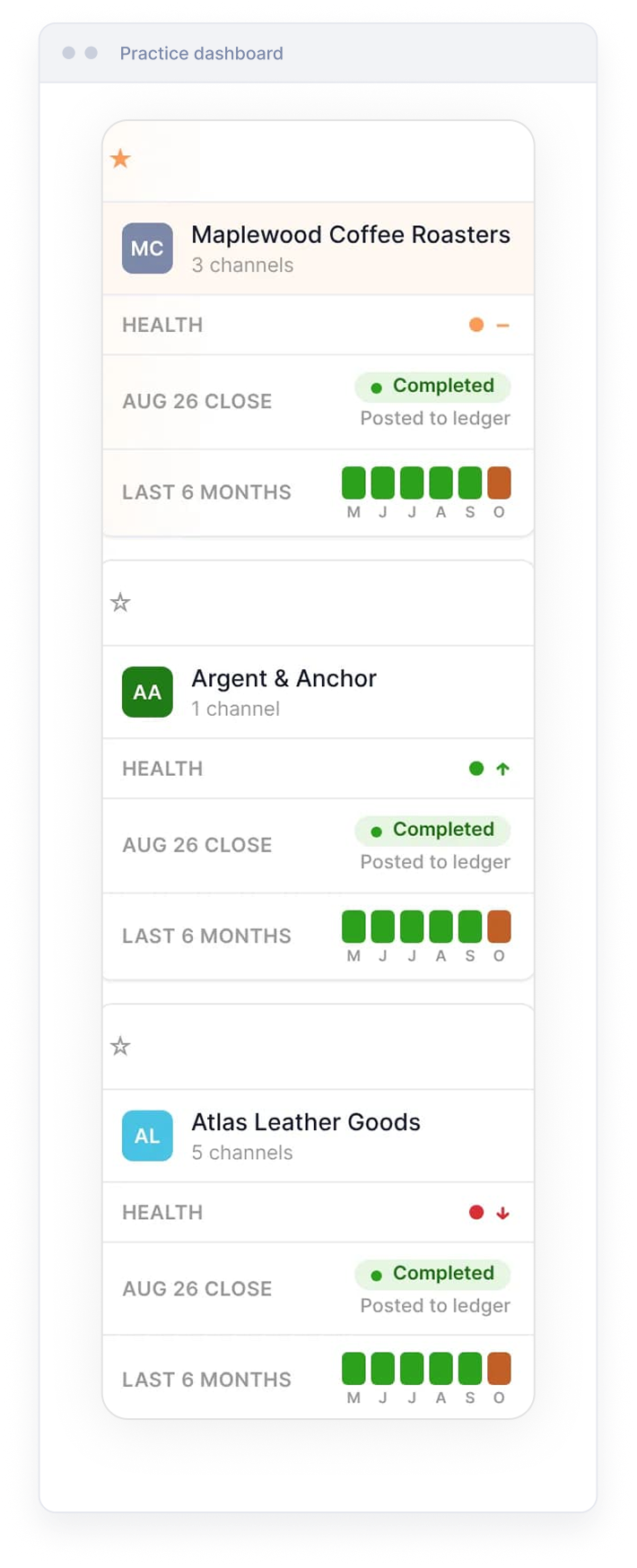
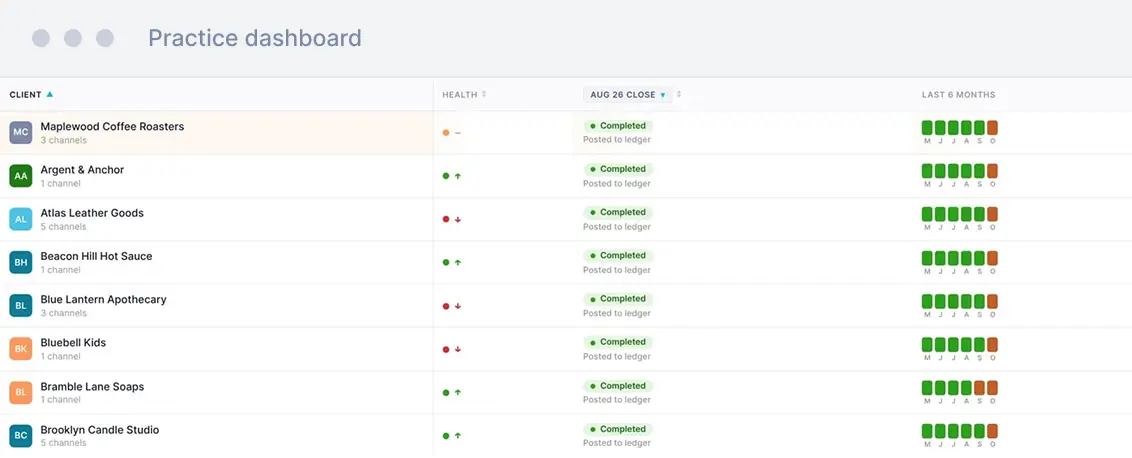
The Practice Dashboard shows every ecommerce clienton your book, how each business is doing, and the actionsoutstanding before their books are complete.
50% off until 2027 on every e-commerce client you set up now.
No card required, and a setup call with one of our in-house accountants.
From the product demo build. Client names and figures replaced.

Before the Practice Dashboard, the month runs like this

You open Xero or QuickBooks to do a client's bookkeeping and thedata has not come across.
So you go into the client's account, then into each sales channel, tofind out what is waiting and why.
One client, one detour. Across a book of clients, the detours become the month.
And you find out late, often with days left before the VAT return.

Your whole client list, and what each one needs from you

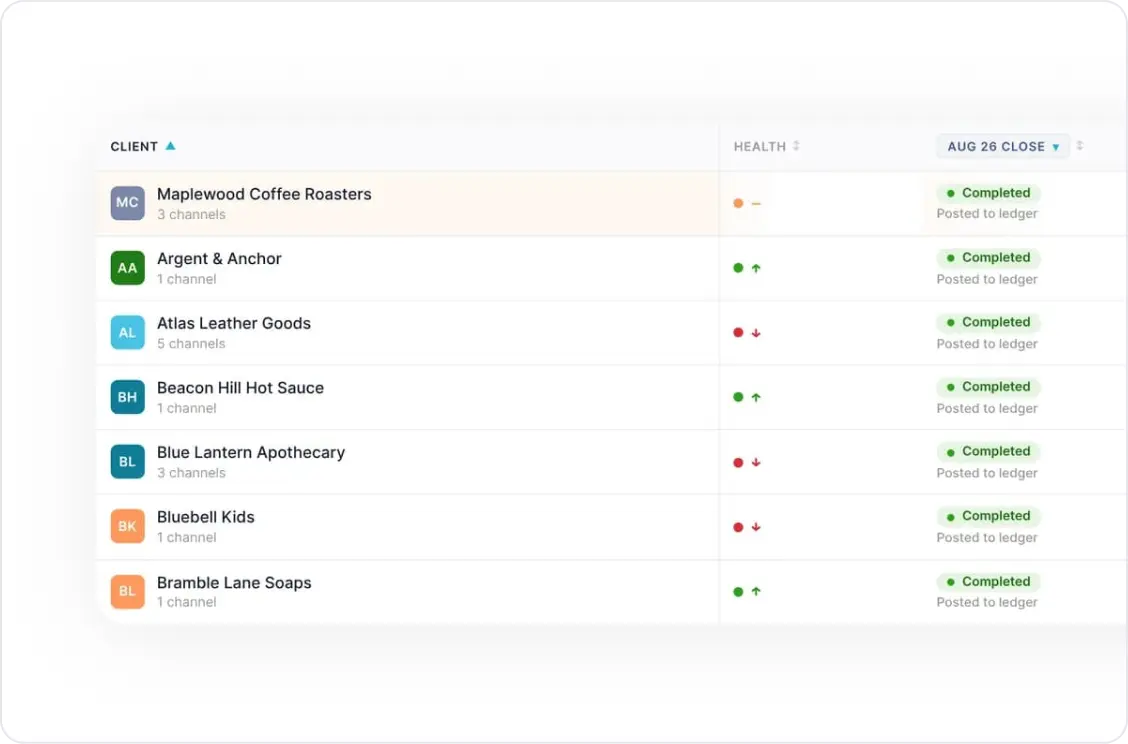
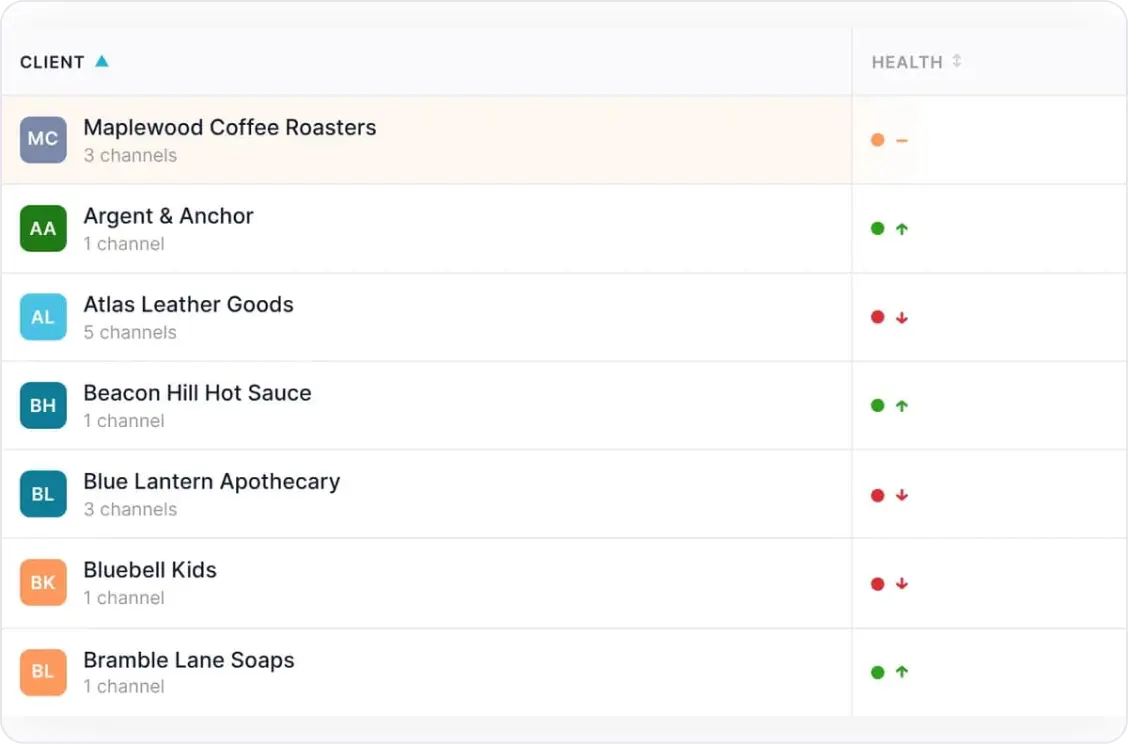
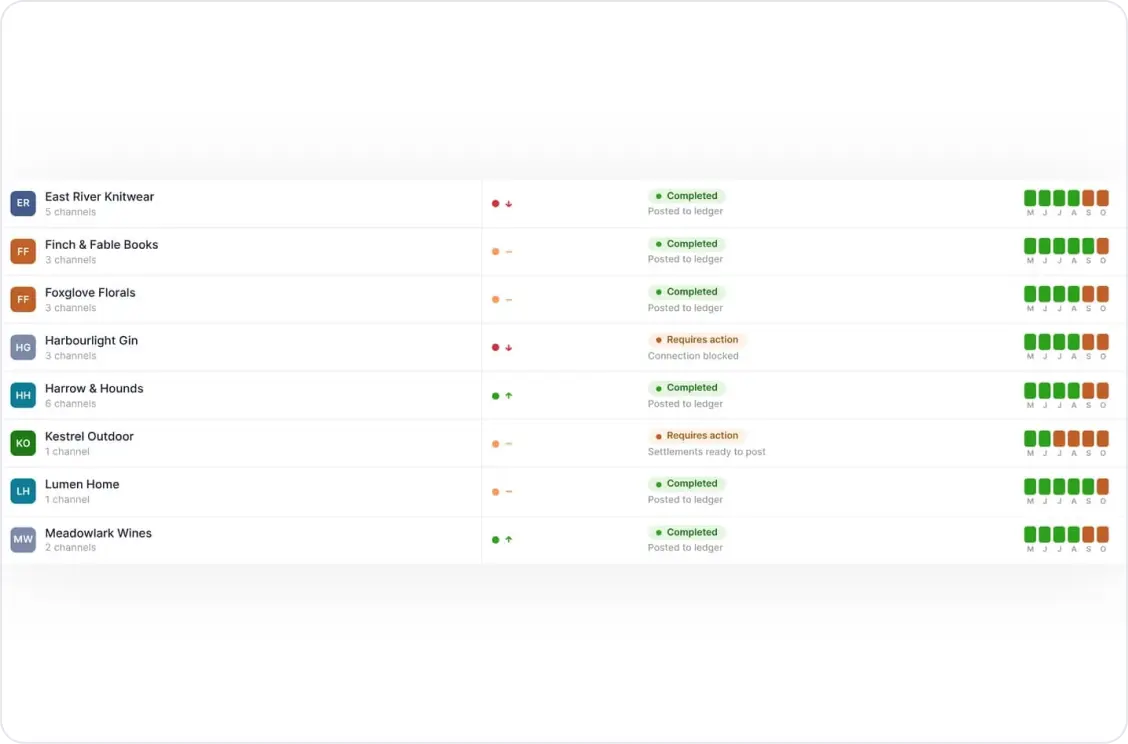
Every ecommerce client listed by name, with their sales channels under them
Which clients are complete for a given month and which are not
Which clients need review before they can be finalised
A running record of previous months, so you can check any month you like
Report sent by email or downloaded as a PDF
How each client's business is doing: increasing, stable or declining
Which clients still have settlements waiting to post
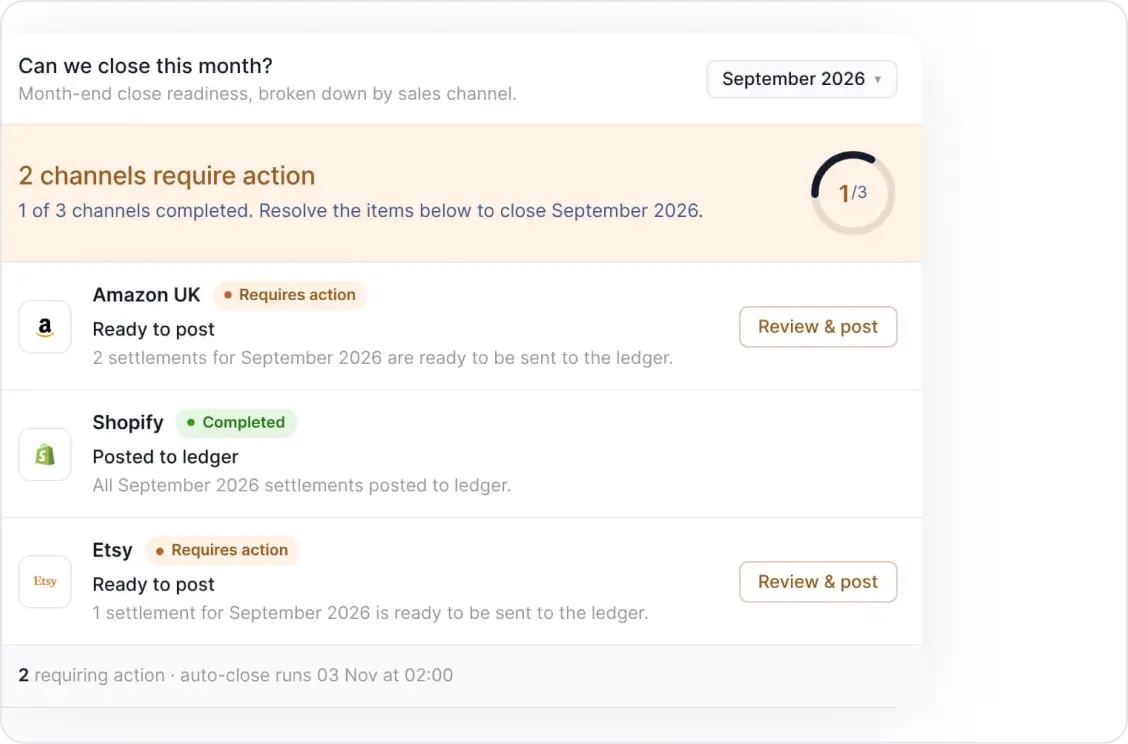
The specific action outstanding next to each individual sales channel
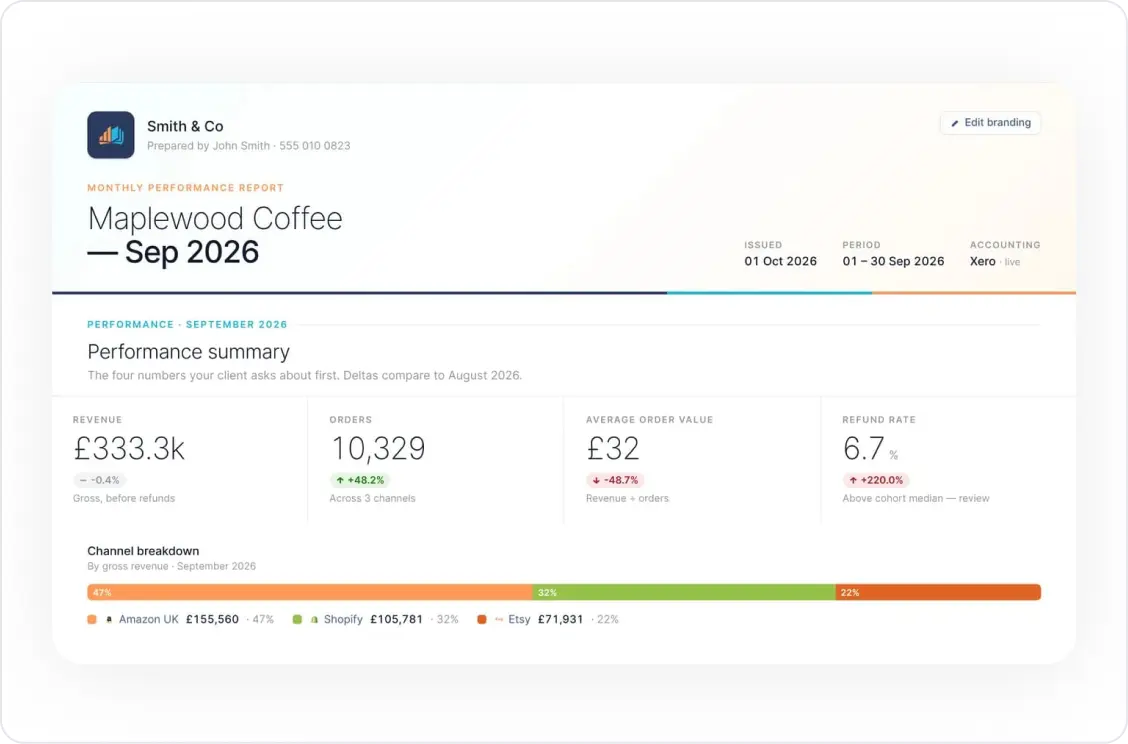
A monthly client report carrying your practice name and logo
Amazon, eBay, Etsy, Shopify, Walmart, TikTok Shop, WooCommerce and Square, into Xero or QuickBooks Online
HOW IT WORKS

See the client, see the state, take the action

1

Every client, with their channels under them

The dashboard lists your ecommerce clients by name, and each client's sales channels sit underneath that client rather than behind a separate login. That structure was one of the largest requests from the firms we work with, so it is how the whole view is built. You stop holding the shape of the book in your head.
2

How each client's business is doing, without opening a report

Each client carries the overall direction of their business alongside the name: increasing, stable or declining. You can see which way a client is going before a call, before a report request, and before they ask. It turns the client list into something you can read for the business, not only for the bookkeeping.
3

Which clients are ready to process, and which are not

Pick a month and the dashboard shows which clients are complete, meaning every settlement has been imported from every channel and posted across to the ledger. The clients that still need review, or have settlements waiting, sit in the same view. Previous months are kept alongside, so a question about June does not depend on anyone's memory.
4

The actions that get a client's books finalised

Opening a client breaks the view down channel by channel with the outstanding action next to each one. A client might show Amazon fully posted, Shopify with settlements waiting because automatic posting is switched off, and Etsy held by new products with no cost price entered. Post the waiting settlements, enter the missing costs, and the client's books are finalised.
5

The monthly report, under your own brand

Generate a report for any client from the same screen, then send it by email or download it as a PDF. It covers the client's revenue against the previous period, the growth picture, the split between sales channels, and profit and loss this month against last across those channels. It carries your practice name and logo, not ours.

With the Practice Dashboard, the same month looks like this

Take a firm with a book of ecommerce clients, rebilled per client, running on Xero or QuickBooks.
You open the dashboard and pick the month you are working on. Most clients are already complete, so they need nothing from you.
Three are not. One has Shopify settlements waiting because automatic posting was never switched on for that channel. Two have new products on Etsy with no cost price.
While you are there, two clients show as declining. You note them for a call. Then you send each client their monthly report under your own name.
The clients that need you come first, instead of turning up last.
PROOF

Firms running their whole book  on it

"We had a big VAT enquiry, a large client with multi-European taxes. I downloaded the full audit trail from Link My Books, did a full reconciliation, and it balanced to the penny."
Kristian Corbisiero
Co-Founder, eAccounts
"When Amazon made changes to VAT, Link My Books was very quick to update, it just does it in the background. When Brexit happened it split pre-Brexit, post-Brexit and overseas automatically. It filled us with confidence that the guys there knew what they were doing."
Anya Holden
Supervisor, Cloud Accounting, PM+M
5.0
Xero App Store, 607 reviews
4.9
Capterra, 117 reviews
4.9
QuickBooks App Store, 149 reviews

The questions firms ask before they move

Can I bill this to my clients?

The dashboard earns its place as the number of clients and channels grows, because that is where the checking time sits. A client on onec hannel with steady volume takes very little of your month either way. The question worth asking is how many of your clients sell on two channels or more, and how many of those you currently check by logging in.

We already have something posting our entries. What does this add?

However you are handling the posting now, this is the layer above it: the whole book in one view, the state of each client for any month, and the outstanding action next to each sales channel. If you want to compare the posting itself, look at which channels are supported natively and how UK VAT is treated on each, because that is where the differences show up when you come to finalise the books.

How much work is it to set up across a whole book?

You set up one client at a time, and the setup wizard pre-fills the accounts and tax rates rather than asking you to map them from scratch. Your trial includes a call with one of our in-house accountants, who are qualified and based in the UK, to get the first client connected. Most of the work in ecommerce bookkeeping is the setup, which is why we do it with you rather than handing you documentation.

How do I check what it is doing with client VAT?

Every summary entry carries the audit file behind it, and the entry reconciles against the bank deposit, so the check is arithmetic rather than trust. When the rules moved, on Brexit and on Amazon's VAT changes, the treatment changed in the background rather than landing on your desk. One firm took the full audit trail through an HMRC VAT enquiry on a multi-European client, and it balanced to the penny.

FAQ

Practice Dashboard questions

What about clients set up on something else?

Practice migrations run as a guided, batched process. We handle the setup and validation so you are not redoing work already done, clients move across in batches so nothing is disrupted mid period, and entries already in the ledger stay as they are.

What counts as a sales channel?

Each store or marketplace account you connect: a Shopify store, an Etsy shop, a TikTok Shop and so on. Amazon is handled by marketplace, so Amazon UK shows as its own channel, and a client selling on three of these shows as three channels.

Do my clients need their own logins?

Only to connect their channels. You add the client and connect the ledger from your practice login, and choose who connects each channel. Some channels, Amazon included, can now be connected on the client's behalf. For the rest, the client gets an email, connects their channels and leaves everything else to you.

Which ledgers do you post to?

Xero and QuickBooks Online. Every settlement is broken into sales, refunds, fees and taxes and posted as a summary that reconciles against the bank deposit.

Can I bill Link My Books to my clients?

Yes, either way round. Your client can pay us directly, or you can bundle your clients into one subscription for the practice and rebill them yourself.

Which sales channels does it cover?

Amazon, Shopify, eBay, Etsy, TikTok Shop, WooCommerce, Square and Walmart, each posting into Xero or QuickBooks Online.

Who is on your support team?

Qualified accountants and bookkeepers based in the UK. Your trial includes a setup call with one of them to get the first client connected.

What does the client health indicator show?

The overall direction of the client's business: increasing, stable or declining. It i s a signal to read before a call, not a score and not a recommendation.

How long does it take to set a client up?

About a minute of your time per client: sign in, connect the client's Xero or QuickBooks ledger, and send them an invite. Their side is a handful of clicks to connect their own channels, and your trial includes a setup call with one of our in-house accountants for the first one.

Can I see exactly what is holding a client up?

Yes. Opening a client shows each sales channel with the action outstanding next to it. One channel might need waiting settlements posted, another might have new products that need a cost price entered.

How does VAT get treated?

Per line, before anything posts. The setup wizard shows the VAT rates it will apply to each product line so you can check them first, and when the rules change, as they did with Brexit and Amazon's VAT changes, the treatment updates in the background.

Can I check a month I finalised earlier in the year?

Yes. A running record of previous months sits alongside the current one, so you can open any month and see which clients were complete and which needed attention.

Is the client report branded to my practice?

Yes. You set your practice name and logo once, and every client report carries them rather than ours.

How do I see which clients have not posted?

Pick a month on the Practice Dashboard. Clients marked complete have every settlement imported from every channel and posted to the ledger. Clients that still need review, or have settlements waiting to post, show in the same view.

Can I send clients a monthly report?

Yes. The Practice Dashboard generates a report per client covering revenue against the previous month and the same month last year, growth, the split between channels, and profit and loss across those channels. It goes out bye mail or downloads as a PDF.

What is the Practice Dashboard?

A view built for accounting and bookkeeping firms rather than individual sellers. It lists every ecommerce client with their sales channels underneath, how each business is doing, and the actions outstanding before that client's books are complete.

Start with this month

Open the dashboard, see which clients are complete, and give the ones that are not your first hour instead of your last.
Set up now and hit the ground running in 2027, with 50% off until then. No card required, and a setup call with one of our in-house accountants.
WANT TO TALK TO AN EXPERT BEFORE GETTING STARTED?
Dan Little