


Synder pricing can look simple at first glance. It is not. The headline price is only part of the story. Your actual cost depends on transaction volume, plan limits, users, historical imports, and whether you need features that sit behind a higher tier or an add-on.
For many ecommerce sellers, that pricing logic creates friction right where you need clarity.
If you need accurate payout breakdowns, clean reconciliation, tax handling, and a setup that does not get harder as your order count grows, Link My Books can be a better fit. It focuses on ecommerce bookkeeping specifically, with order-based pricing, free extra users, historical imports, VAT product grouping, and accountant-backed onboarding.
Key Takeaways from this Post
Synder’s official pricing starts at $52 per month on annual billing or $65 on monthly billing for Basic, then rises to from $92 or $115 for Essential and from $220 or $275 for Pro.
The catch is that Synder prices around synced transaction volume, limits users by plan, and charges more for some history and feature access.
Link My Books takes a cleaner ecommerce-first approach with pricing based on orders and sales channels, free additional users, free 14-day trial access, and bookkeeping features built around payouts, taxes, and reconciliation instead of generic transaction sync alone.







Synder Pricing Plans Overview
As of April 2026, Synder’s official pricing page shows four plan tiers. The prices below come from Synder’s live pricing pages.
Synder also states that any transaction except processing fees counts against your transaction balance. In other words, pricing pressure does not come only from sales growth. It comes from the number of synced transactions the platform needs to process for your books.
That pricing model is workable for some businesses. It is less attractive for sellers with growing order counts, multiple channels, or accounting firms managing several clients. Once you move beyond Basic, you stop looking at a flat software subscription and start managing a usage-based bookkeeping bill.
How Synder Pricing Actually Works
This is the part many buyers miss. Synder does not treat pricing as a simple pick a plan and go decision.
The company says your subscription needs to cover the number of transactions your business generates, and synced sales transactions draw down your balance each month.
Remaining syncs do not roll over to the next billing cycle.
Synder also structures subscriptions per organization.
Its help center says one subscription covers one connected organization, and firms that manage multiple organizations need separate subscriptions for each. That can make the platform materially more expensive for accountants and bookkeepers who serve several ecommerce clients.
There is also a separate invoicing add-on called Receive Payments, which adds another charge if you need that workflow.
Synder lists it at $30 per month on a monthly billing or $240 annually.
Hidden Costs in Synder Pricing
The headline price is only the starting point. The real cost can rise in a few different ways.
- Historical imports cost more on lower tiers: Synder’s pricing table shows paid unlimited history on Basic and Essential. Pro includes only three months free before paid history kicks in, while Premium includes free unlimited history.
- Extra users are not included freely on most plans: Basic and Essential include one user. Pro includes two. Premium is the only tier with unlimited users, and Synder notes that extra users can be added for a fee.
- Smart Rules can become another monthly bill: Synder’s billing guide shows Smart Rules as a $59.99 per month add-on on Essential, while Pro includes them.
- Downgrading is not self-service: Synder says you must contact the billing team to downgrade because the change may affect transaction limits, Smart Rules, and other configured features.
- Unused syncs do not carry forward: Synder states that monthly plan syncs expire at the end of the billing period. Only additionally purchased credits stay available.
- Upgrades can override remaining syncs: Synder’s help documentation says that when you upgrade, the new plan overrides the remaining syncs on the old plan.
- Refunds are limited: Synder states that all subscriptions and payments are final and non-refundable, although it does offer a 15-day free trial with no card required.
None of these points make Synder a bad product. They do make the platform more expensive and less predictable than the sticker price suggests, especially for sellers who are growing fast or accountants managing multiple books.
If you need help with your accounting, check out our guide: How to do Ecommerce Accounting.
Why Choose Link My Books Over Synder for Your Ecommerce Accounting

Most ecommerce sellers do not struggle because they cannot sync transactions. They struggle because payouts do not reconcile cleanly, taxes get messy, VAT treatment goes wrong, and month-end turns into a spreadsheet exercise.
That is where Link My Books has the stronger offer.
We focus on the features sellers care about in ecommerce bookkeeping: COGS tracking, VAT product grouping, P&L by channel, benchmarking, and support from in-house accountants with 1-to-1 onboarding.
You can also add additional users for free, which matters if your accountant, bookkeeper, or operations lead needs access.
Link My Books also handles the reconciliation problem in a more ecommerce-specific way. Our platform creates clean payout summaries that break each settlement into sales, refunds, fees, and taxes, then posts that data into Xero or QuickBooks so the bank deposit matches cleanly.
That is a much better fit for sellers who care less about raw syncing and more about getting accurate books without manual cleanup.
Our happy clients, like COPA, say they save 70-plus hours per month with Link My Books, and DadyBros recovered £8,829 in overpaid VAT after correcting an Amazon product tax code issue.
👉You can try out Link My Books for free and see what it can do for your business.
Link My Books Pricing
Link My Books uses a different pricing model. Instead of tying cost to synced transaction balance, we price based on your monthly order volume across channels and the number of connected sales channels.
- Monthly order volume: whether you process 200 orders or 250,000 orders, you only pay for what you use.
- Number of connected sales channels: one Shopify store, or multiple stores across Amazon, Etsy, TikTok Shop, and eBay.
Your usage is calculated on a rolling average, and we notify users before upgrading them to a higher plan.
Check out our price calculator to see where you would land.
[insert shortcode for pricing]
Every subscription includes:
- Unlimited users (ideal for accountants or teams)
- Free onboarding with a qualified accountant
- Built-in VAT and OSS automation
- SKU-level COGS tracking
- Industry benchmarking and profitability insights
- A 14-day free trial with no credit card required
Link My Books vs. Synder: A Cost-Effective Alternative
The real difference is product philosophy. Synder is a broader accounting automation platform. Link My Books is purpose-built for ecommerce bookkeeping.
If you sell on channels like Amazon, Shopify, eBay, Etsy, TikTok Shop, Walmart, WooCommerce, or Square and want clean month-end books in Xero or QuickBooks, Link My Books usually gives you a simpler path.
That matters even more for multi-channel sellers. Link My Books positions itself around simplifying multi-channel payout accounting, tax handling, and reconciliation for growing ecommerce businesses and the accountants who support them. Its internal customer guidance also emphasizes the need for transparent pricing and scalable bookkeeping for time-constrained sellers handling complex data across channels.
FAQ on Synder Pricing
Does Synder Offer a Free Trial?
Yes. Synder offers a 15-day free trial, and its pricing page says no credit card
What Happens If You Outgrow Your Synder Plan?
You can upgrade at any time, but there is an important catch. Synder says the new plan overrides the remaining syncs on your old plan. It also says monthly plan syncs do not carry over to the next billing period. If you run out mid-cycle, additional charges can apply depending on the plan and extra syncs used.
How Many Users Can You Have Per Synder Account?
Synder limits users by plan. Basic includes 1 user, Essential includes 1 user, Pro includes 2 users, and Premium includes unlimited users. Synder also states that extra users can be added for a fee, which is another reason the real cost can rise beyond the headline plan price.
How Does Synder’s Plan Upgrade or Downgrade Work?
Upgrades are flexible, but downgrades are less convenient. Synder says downgrading is not self-service and requires contacting its billing team because the change can affect transaction limits, Smart Rules, and other configured features. Its billing guide also shows that Smart Rules cost an extra $59.99 per month on Essential, while they are included on Pro.
Does Synder Include Historical Data Imports?
Yes, but not on equal terms across every plan. Synder’s pricing page shows paid unlimited history on Basic and Essential, free history for 3 months and then paid unlimited history on Pro, and free unlimited history on Premium. That means catch-up bookkeeping can add cost on lower tiers.
Can Accountants Use One Synder Subscription for Multiple Clients?
Not in the way many firms would hope. Synder’s help documentation says that if you want several organizations within Synder, you need a separate subscription for each connected accounting system. For accountants and bookkeepers managing multiple ecommerce clients, that can make total software cost climb fast.
How Does Link My Books Compare to Synder for Affordability?
For many ecommerce sellers, Link My Books is easier to budget for because it uses order-volume and channel-based pricing, includes unlimited additional users for free, and includes 90 days of historical data in the free trial. Paid plans can go back up to 24 months, depending on plan. It also offers a free 14-day trial with no card required and includes bookable onboarding help from its in-house team.
Which Tool Is Better for Ecommerce Sellers Specifically?
Synder works for broader accounting automation, but Link My Books is usually the better fit for ecommerce sellers who care about payout reconciliation, VAT handling, settlement summaries, and cleaner month-end bookkeeping in Xero or QuickBooks. That is the main reason many sellers see it as the more practical choice, even before pricing enters the picture.
The Final Verdict: Which One Should You Choose?
Choose Synder if you want a broader accounting automation tool and you are comfortable with transaction-based pricing, user limits on lower tiers, and extra cost for some history or feature access. Its official pricing is clear once you dig into the details, and it can work well for businesses that value wide integration coverage over ecommerce-specific bookkeeping workflows.
Choose Link My Books if you are an ecommerce seller or accountant who needs cleaner payout reconciliation, stronger VAT and tax handling, and a pricing model that feels easier to understand as order volume grows.
For most ecommerce brands, that makes the choice pretty straightforward. If your main problem is syncing business transactions in general, Synder can fit. If your main problem is getting accurate ecommerce books without wasting hours on fees, refunds, taxes, and settlement matching, Link My Books is the stronger option.
Streamline Your Ecommerce Accounting With Link My Books
Manual ecommerce bookkeeping breaks down fast. Fees get buried, refunds throw off totals, payouts stop matching the bank, and VAT mistakes get expensive.
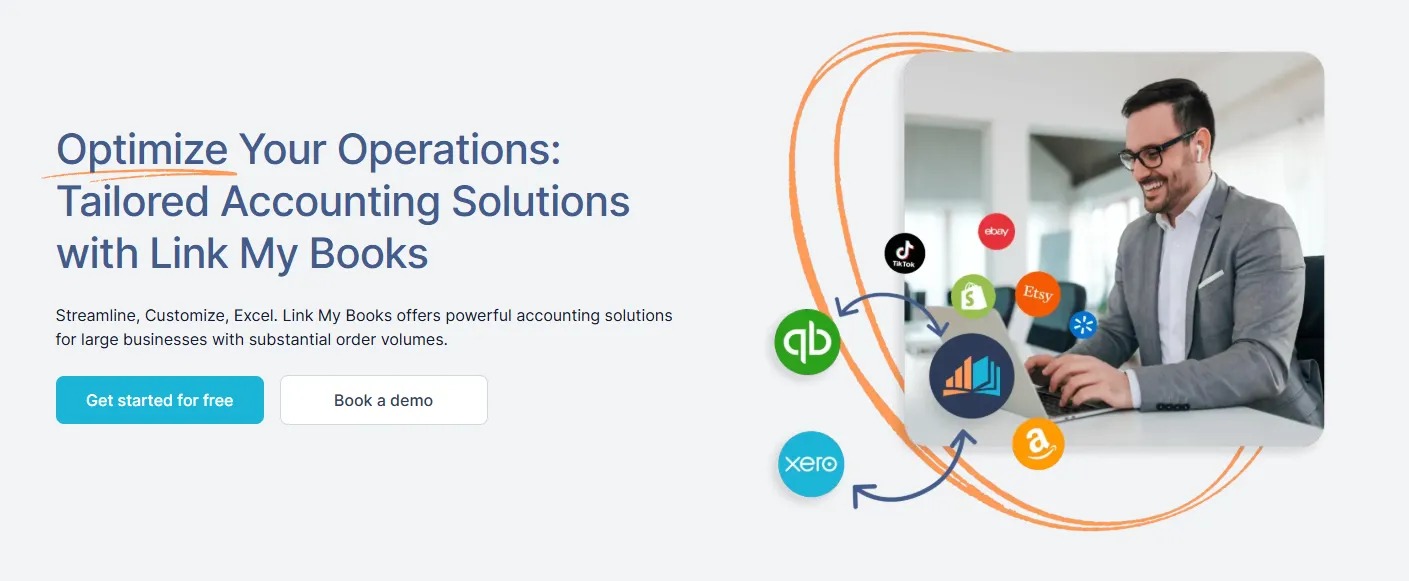
Link My Books fixes that by pulling your ecommerce data into Xero or QuickBooks in a format that makes sense for real month-end bookkeeping, not just raw transaction syncing.
If you want a cleaner, more cost-effective alternative to Synder, Link My Books is the one to look at first. It is built for sellers on Amazon, eBay, Shopify, Etsy, TikTok Shop, Walmart, WooCommerce, and more, and it gives you the visibility and reconciliation control that growing ecommerce businesses actually need.
👉Start your free Link My Books trial and automate your ecommerce bookkeeping in Xero or QuickBooks.





.webp)





.png)