


![The Basics of VAT for Square sellers [2026 Update] 📊📈](https://cdn.prod.website-files.com/60af32ce0a63dc4f22cc85a1/696d505e393a2c05e6c7bac7_square%20vat.webp)
UK and EU Square sellers often assume VAT is “handled” once they turn tax settings on. It isn’t. Square can calculate and display VAT at checkout, but it does not decide whether VAT applies, which rate is correct, or how VAT should be reported. Those gaps are where sellers overpay, underpay, or file incorrect returns.
This guide explains how Square VAT actually works, what Square does and does not do, and where sellers must be careful, especially once turnover grows or products fall under mixed VAT rates.
Key Takeaways from this Post
Sellers remain fully responsible for charging the correct VAT rate, handling cross-border rules, and reporting VAT to HMRC or EU authorities.
Manual Square bookkeeping breaks down quickly because payouts are deposited net of fees, refunds, and taxes. Relying on net deposits or raw Square reports makes VAT reconciliation slow and error-prone.
Link My Books automates Square bookkeeping by syncing sales, VAT, fees, and refunds directly into Xero or QuickBooks with the correct VAT treatment. This prevents VAT overpayments, keeps payouts fully reconciled, and saves hours of manual work every month while keeping VAT reporting accurate and audit-ready.







What Is Square VAT?
Square VAT is the use of VAT tax rates within Square to calculate and display VAT on sales, receipts, and invoices, based on seller-defined tax settings. Square provides calculation and reporting tools, but the seller remains responsible for VAT accuracy, reporting, and remittance to tax authorities.
Expanded explanation:
- Square allows sellers to create VAT rates and apply them to items or services.
- Square calculates VAT at checkout and shows it on receipts and invoices.
- Square does not determine whether VAT should be charged.
- Square does not file VAT returns or remit VAT to HMRC or EU tax authorities.
This distinction matters. Square is a payment and POS platform, not a VAT compliance solution.
How Does VAT Work in the UK?

VAT rules in the UK are set by HMRC, not by payment platforms like Square. Square provides tools to calculate and display VAT, but it does not determine whether VAT applies or whether you are compliant.
When You Must Register for VAT
You must register for VAT if your VAT-taxable turnover exceeds £90,000 in any rolling 12-month period. This threshold increased from £85,000 to £90,000 on 1 April 2024 and applies to most UK businesses selling taxable goods or services.
You must also register if you expect your taxable turnover to exceed £90,000 in the next 30 days alone, even if your past turnover was below the threshold.
Key points sellers often miss:
- The threshold is rolling, not based on the calendar or tax year.
- It applies to taxable turnover, not profit.
- Zero-rated sales still count toward the threshold.
What Changes Once You Are VAT Registered
Once registered, you become legally responsible for:
- Charging VAT on sales where VAT applies
- Applying the correct VAT rate:
- Standard rate
- Reduced rate
- Zero rate
- Issuing VAT-compliant invoices when required
- Submitting VAT returns to HMRC
- Paying VAT owed or reclaiming eligible VAT on business expenses
Square does not handle any of these obligations for you. It only reflects what you configure.
How VAT Rates Are Determined
The VAT rate you must apply depends on three factors, all defined by HMRC rules:
- What you sell: Different goods and services attract different VAT rates. Some items are standard-rated, others are reduced-rated or zero-rated.
- Where the sale takes place: UK sales, EU sales, and non-EU sales are treated differently, especially post-Brexit.
- Who you sell to: VAT treatment can differ between private consumers and VAT-registered business customers.
Square does not evaluate any of these factors automatically.
How This Intersects With Square
Square’s role is limited to tax calculation based on your settings.
Verified Square behavior:
- You must manually create VAT or tax rules in the Square Dashboard
- You name the tax, choose the rate, and assign it to items, services, or categories
- Square applies VAT exactly as configured, without checking whether:
- You are VAT registered
- The rate is correct for the product
- VAT should apply at all
If the setup is wrong, the VAT output will also be wrong.
Square Fees and VAT in the UK
Square charges processing fees for using its services. For UK sellers:
- Square issues monthly fee invoices that can be downloaded from the Square Dashboard.
- These invoices show the fees charged and any VAT applied to those fees.
- These invoices are the primary records used for bookkeeping and VAT treatment of Square fees.
Square does not automatically reconcile these fees into your accounting software. That step is still your responsibility unless you use an integration tool.
The Risk for Square Sellers
Because Square separates tax calculation from tax compliance:
- VAT can be charged incorrectly without any warnings
- Sellers can overpay VAT by applying the wrong rate
- Sellers can underpay VAT by missing taxable components
- Errors often only surface at VAT return time or during an HMRC review
This is why Square consistently positions its tax tools as configuration-based, not compliance-driven.
How Does Square VAT Work for Private Sellers?
Private sellers and small traders often assume Square decides whether VAT applies. It does not.
Verified position:
- Square allows any seller to create tax or VAT rates in the Dashboard.
- Square does not check whether you are VAT registered.
- Square does not validate whether VAT should legally be charged on a sale.
- VAT liability is determined by UK law and overseen by HMRC, not by Square.
This creates a common risk scenario for private sellers.
If You Are Not VAT Registered
Verified rules under UK VAT law:
- If you are not VAT registered, you must not charge VAT on your sales.
- Charging VAT without registration means:
- You cannot legally keep the VAT amount
- You may be required to repay it to HMRC
- Customers may request a VAT invoice you cannot legally issue
How Square fits into this:
- Square will still calculate and display VAT if you:
- Create a VAT rate
- Assign it to items or services
- Square treats VAT purely as a calculation rule, not a compliance check
This is why Square’s own UK tax guidance consistently frames tax setup as the seller’s responsibility and recommends consulting tax professionals for VAT compliance.
Why This Causes Problems for Private Sellers
Verified risk areas:
- VAT appears on receipts even though the seller is not registered.
- Sellers mistakenly believe Square “handles VAT” once tax settings are enabled.
- VAT-inclusive pricing becomes difficult to unwind if registration happens later.
- Invoices issued through Square are not automatically VAT-compliant invoices unless the seller meets HMRC VAT invoice requirements.
Square explicitly separates:
- Tax calculation and display (what Square does)
- Tax compliance and reporting (what the seller must do)
The Takeaway
If you are a private seller using Square:
- Do not enable VAT rates unless you are VAT registered
- Track turnover carefully against the UK VAT threshold
- Treat Square tax settings as a tool, not a safeguard
How Can Link My Books Help With Your Square VAT?
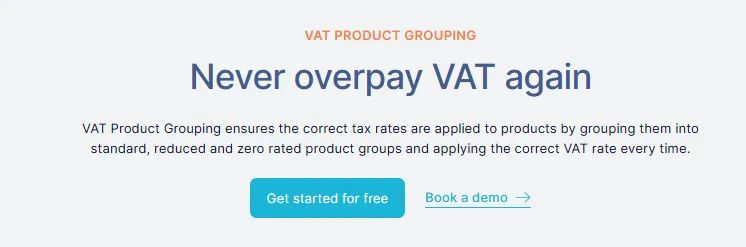
Link My Books connects Square to your accounting software (Xero or QuickBooks) and converts Square payout data into VAT-correct accounting entries.
Link My Books does not calculate VAT at checkout. Square does that.
What Link My Books does is ensure that VAT is recorded, grouped, and reported correctly once Square pays you, which is where most VAT errors actually occur.
What Link My Books Does
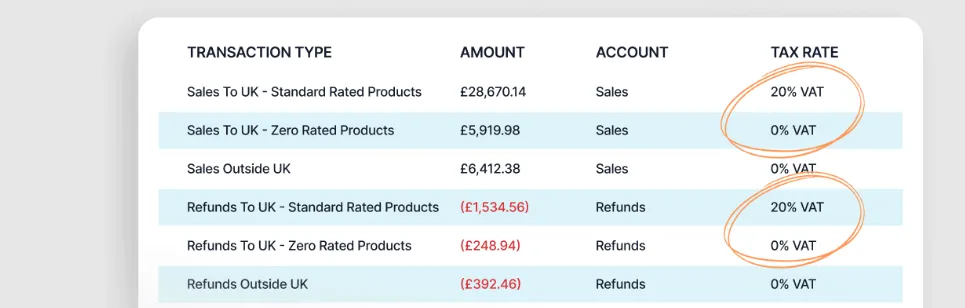
- Imports Square payouts, not individual checkout calculations.
- Breaks each payout into:
- Sales
- VAT
- Fees
- Refunds
- Posts summary journals or invoices into Xero or QuickBooks using:
- Correct VAT tax codes
- Correct VAT treatment per product group
- Ensures VAT figures in accounting software match Square reports and bank deposits.
This is why Link My Books positions itself as a bookkeeping and VAT accuracy tool, not a tax calculator.
VAT Product Grouping
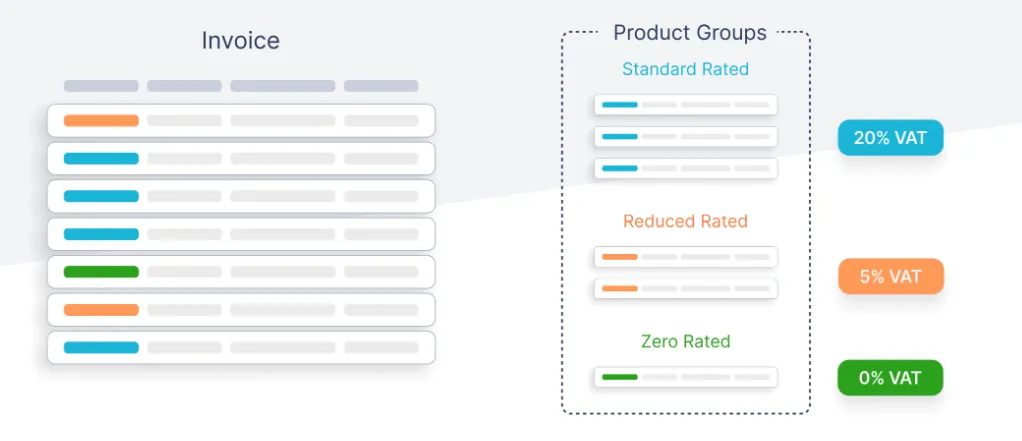
VAT product grouping allows sellers to:
- Assign products or SKUs to VAT categories such as:
- Standard-rated
- Reduced-rated
- Zero-rated
- Outside the scope
- Ensure those VAT rules are applied when transactions are posted to accounting software, not when the customer pays.
This matters because:
- Square does not reliably separate mixed VAT rates inside payouts.
- Accounting software needs VAT split by rate for accurate VAT returns.
- Without grouping, sellers often treat all revenue as standard-rated.
Link My Books explicitly addresses this by applying VAT grouping after the payout, at the point where VAT reporting actually happens.
What This Prevents
- Overpaying VAT when zero-rated or reduced-rate items exist.
- Misreporting VAT when multiple VAT rates appear in the same Square payout.
- Manual VAT adjustments at return time.
- Reconciliation gaps between Square, bank deposits, and VAT reports.
How Link My Books Helps Square Sellers Beyond VAT
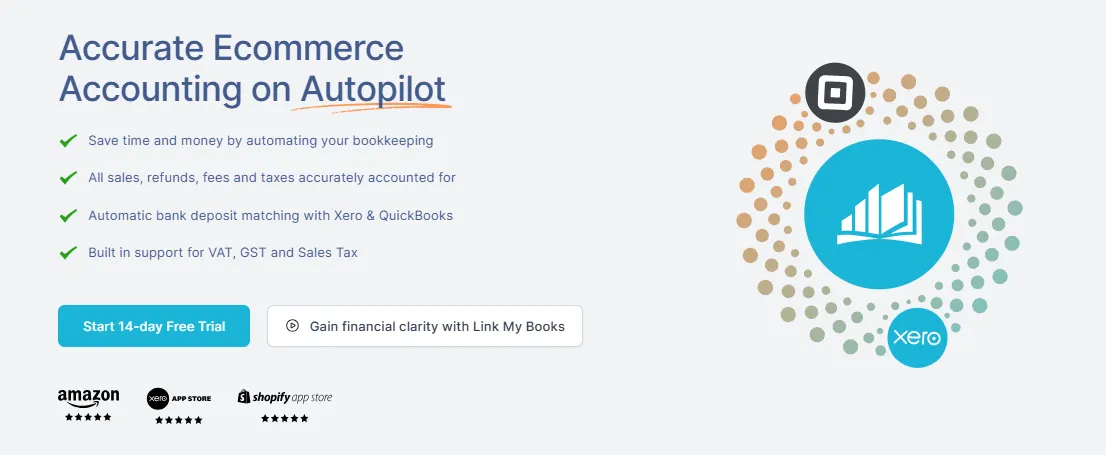
While VAT accuracy is often the trigger for switching tools, Link My Books delivers value for Square sellers far beyond VAT handling. Its core benefit is turning messy Square payout data into clean, reconcilable accounting records, without spreadsheets or manual fixes.
This matters because most Square accounting problems are not tax problems first. They are data structure problems.
Clean, Automated Payout Reconciliation
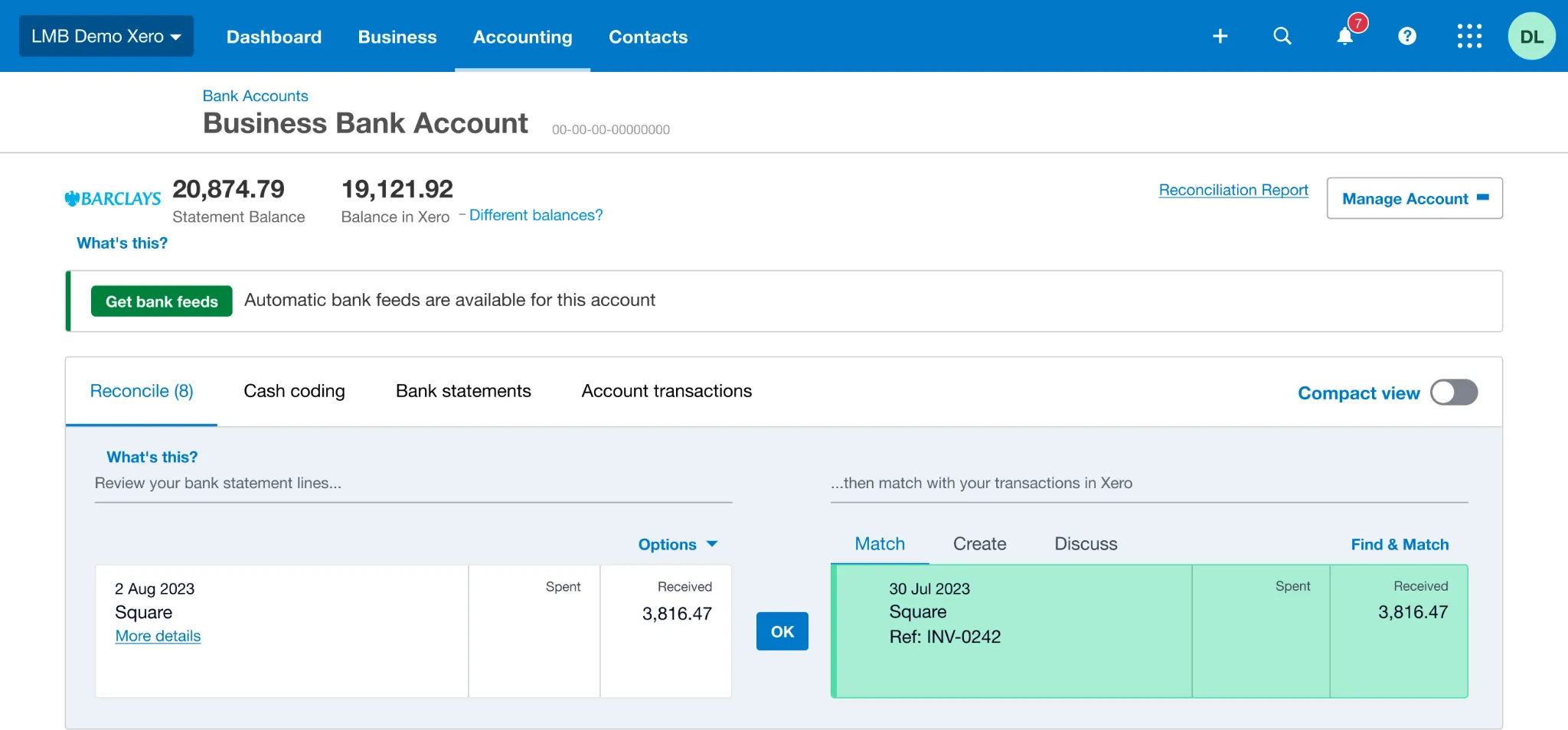
Square deposits net payouts into your bank account. Those payouts already reflect sales, refunds, fees, tips, and taxes. When sellers try to reconcile these deposits manually, the numbers rarely line up without adjustments.
Link My Books solves this by importing each Square payout and breaking it down into its underlying components before posting a structured summary into Xero or QuickBooks.
Because the accounting entries mirror the payout structure, your bank reconciliation becomes straightforward and repeatable.
Accurate Treatment of Fees, Tips, and Refunds
Your Square transactions include more than just sales revenue. Processing fees, card fees, tips, partial refunds, and full refunds all appear in the data, and when these elements are netted together manually, revenue figures become distorted.
Link My Books separates these elements so sales remain sales, fees are recorded as costs, and refunds reduce revenue correctly.
This gives you a more accurate profit picture, and cleaner books.
Consistent Data Flow Into Xero or QuickBooks
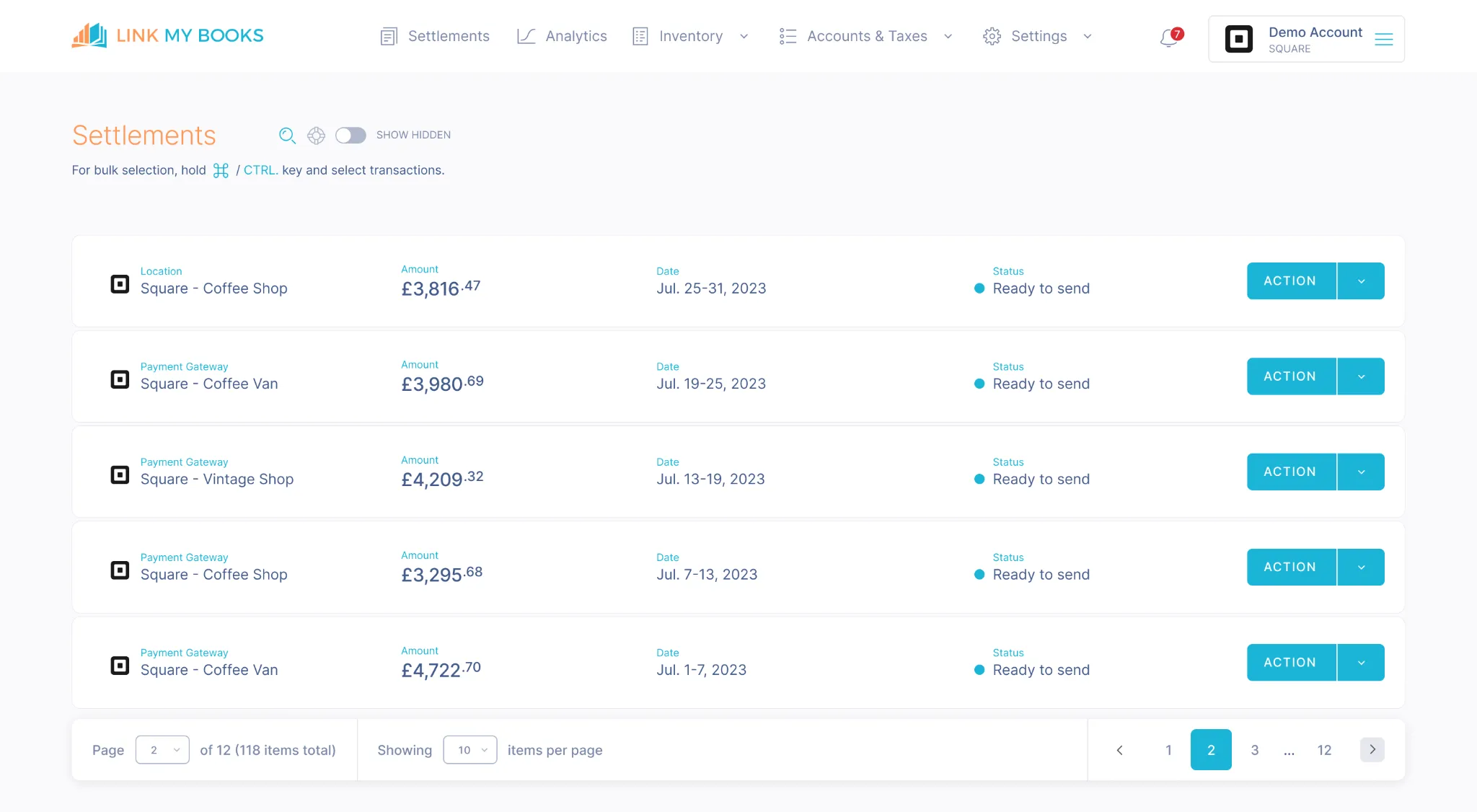
Native Square exports are designed for operational reporting rather than accounting. They do not arrive in a format that accounting software can easily interpret at scale.
Link My Books acts as a translation layer between Square and your accounting system, sending summarized, accounting-ready entries that follow consistent account mappings over time.
This consistency is what allows month-end close to scale without increasing bookkeeping time.
Multi-Channel Readiness (Not Just Square)
Many Square sellers do not stay Square-only for long.
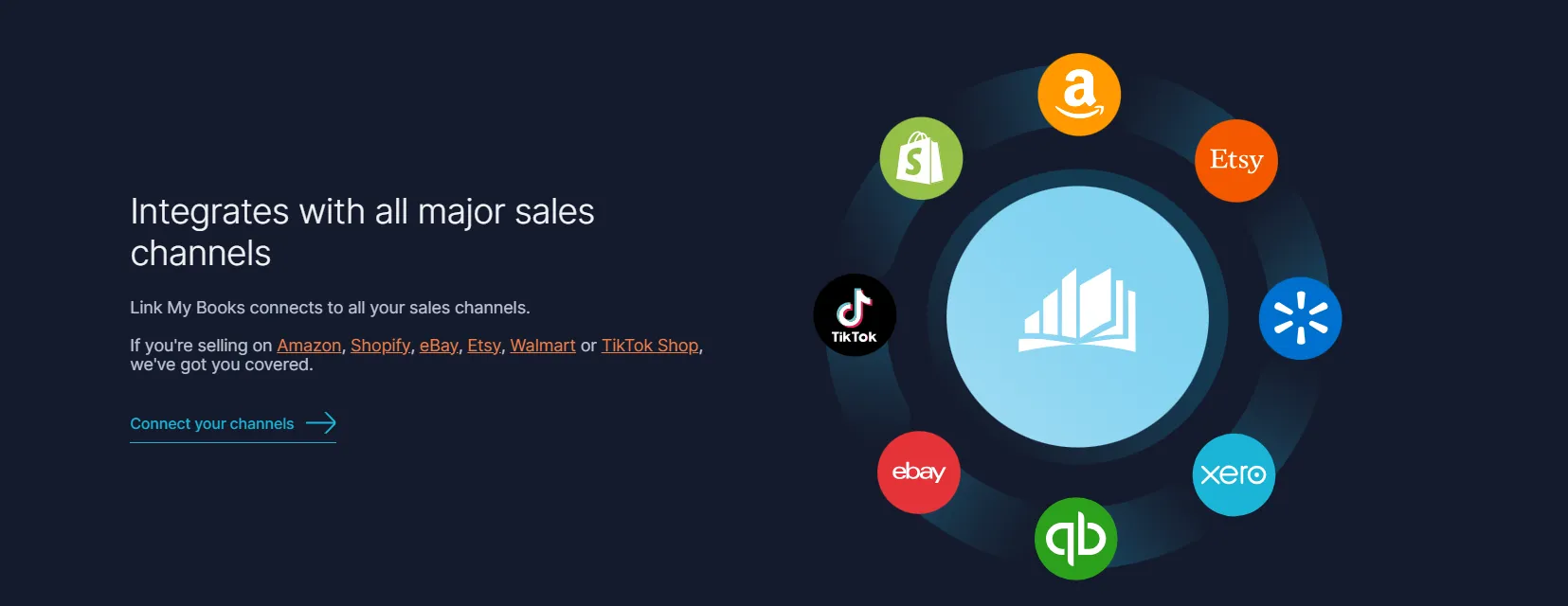
Link My Books supports multiple sales channels alongside Square, allowing sellers to:
- Combine Square with platforms like Amazon, Shopify, eBay, Etsy, or TikTok Shop
- See all channel activity reflected consistently in one accounting system
- Avoid different bookkeeping processes per channel
This becomes critical as businesses grow and diversify.
Built for Sellers and Accountants

The platform is designed to support both sellers and accounting professionals. Sellers benefit from reduced bookkeeping effort and fewer surprises, while accountants receive consistent, structured data that requires minimal correction.
This shared clarity lowers ongoing accounting costs and improves collaboration.
What Link My Books Does Not Replace
For clarity and accuracy:
- It does not replace your accountant.
- It does not provide tax advice.
- It does not change Square’s checkout behavior.
What it does replace is manual data handling, spreadsheets, and guesswork.
Why Choose Our VAT Management Tool?

For Square sellers, the real accounting challenge begins after the payout hits the bank. Link My Books ensures that what reaches your books reflects reality, not estimates, and supports confident reporting across your entire business.
If you sell through Square and deal with VAT, especially with mixed VAT rates, Link My Books removes the manual work and reduces the risk of VAT errors at reporting time.
“Link My Books makes Square VAT calculations simple by structuring Square payouts into VAT-correct accounting entries.”
Start a free trial of Link My Books and make your Square VAT bookkeeping accurate by default.
How to Register for VAT as a Square Seller
VAT registration requirements apply regardless of the payment platform you use. Selling through Square does not change your legal VAT obligations, which are set by HMRC.
When You Must Register for VAT
You must register for VAT in the UK if your VAT-taxable turnover exceeds £90,000 in a rolling 12-month period. This threshold increased from £85,000 to £90,000 with effect from 1 April 2024, as confirmed by HMRC guidance on VAT registration thresholds.
You must also register if you expect your VAT-taxable turnover to exceed £90,000 in the next 30 days alone, even if your historical turnover is below the threshold. This rule is explicitly stated in HMRC VAT registration guidance and applies equally to online, in-person, and mixed sales channels.
VAT-taxable turnover includes standard-rated, reduced-rated, and zero-rated sales. It does not include VAT-exempt income. Square does not distinguish between taxable and exempt turnover for VAT registration purposes.
Square’s Role in VAT Registration
Square does not:
- Monitor your turnover against the VAT threshold
- Notify you when VAT registration is required
- Register you for VAT
- Validate your VAT registration status
Square’s own UK tax documentation makes clear that sellers are responsible for determining whether VAT applies and for ensuring tax compliance. Square provides tools to set up taxes, not compliance checks.
How to Register for VAT
VAT registration is completed directly with HMRC, typically online. Once your application is approved, HMRC issues:
- A VAT registration number
- An effective date of registration
The effective date is critical. You must charge VAT on all taxable sales made from that date onward, even if you update your Square settings later. HMRC guidance is explicit that your VAT applies from the effective date, not from when you configure your systems.
What Changes After VAT Registration for Square Sellers
Once VAT registered, you are legally required to:
- Charge VAT at the correct rate where applicable
- Keep VAT records
- Submit VAT returns
- Pay VAT due or reclaim eligible VAT
From a Square perspective, this means:
- You must configure VAT rates in Square manually
- You must decide whether prices are VAT-inclusive or VAT-exclusive
- Square will calculate VAT based on your settings, but it will not confirm that the rate or treatment is correct
VAT Registration and Accounting Implications
HMRC requires VAT returns to reconcile with your business records. For Square sellers, this means:
- Sales must be split between net revenue and VAT
- VAT on Square fees may be reclaimable, subject to standard VAT rules
- VAT returns must align with sales data and bank deposits
Square provides reports and downloadable fee invoices, but it does not prepare VAT returns or reconcile VAT figures against accounting software.
Common VAT Registration Pitfalls
HMRC identifies several issues that frequently cause VAT errors, many of which are amplified for Square sellers:
- Registering late and needing to backdate VAT
- Charging VAT before registration
- Applying VAT incorrectly from the wrong date
- Inadequate separation of pre-registration and post-registration sales in the records
These are compliance issues, not Square platform errors.
VAT Charged in Different Countries
VAT rules change based on where you (the seller) are established, where the customer is, and what you sell. In the UK, you charge UK VAT (when you are VAT registered) based on UK VAT rates.
In the EU, cross-border B2C sales of goods often follow a destination principle, meaning you charge VAT at the customer’s country rate and can report it through the One Stop Shop (OSS) instead of registering in every Member State.
Square can help you apply tax rates you configure, but Square does not decide which country’s VAT rate applies. Square’s VAT tools apply the VAT rate you set to taxable items in each order.
Standard VAT Rates by Country (Latest Available Source Data)
The table below lists standard VAT rates (the default rate for most goods and services). Reduced and zero rates exist in many countries, but they depend on the product category, so you should not assume your items qualify for a reduced rate.
What This Means Operationally (Square + VAT)
- If you sell domestically: You typically charge VAT at your local rules and rates (UK example: standard 20%).
- If you sell B2C into the EU: You generally charge VAT at the customer’s Member State rate and can report it through OSS
- If you use Square: Square applies the VAT rates you configure, but it does not determine the correct VAT country or rate for the sale
Different VAT Scenarios for Square Sellers
VAT treatment for Square sellers changes depending on where you are established, where your customer is, and whether you are VAT registered. Square does not evaluate these scenarios for you. It applies VAT based only on the rules you configure, while legal responsibility sits with you and the relevant tax authority.
Below are the most common, real-world VAT scenarios, written from a UK and EU compliance perspective and aligned with current HMRC and EU VAT rules.
Purchases That Cross the UK–EU Border
Post-Brexit, UK–EU sales no longer fall under a single VAT regime.
If you are UK-established and VAT registered and sell goods to EU private customers (B2C), VAT is generally charged at the customer’s EU country VAT rate, not the UK rate. These sales can usually be reported through the EU One Stop Shop (OSS) instead of registering for VAT in every EU country.
If you sell goods to EU VAT-registered businesses (B2B), VAT is usually zero-rated, provided you obtain and validate the customer’s EU VAT number and meet evidence requirements.
Square will not:
- Determine whether a sale is B2C or B2B
- Apply OSS logic
- Validate EU VAT numbers
Square will only apply the VAT rate you assign to the item. Correct VAT reporting depends on your accounting records and VAT return setup, not Square checkout settings.
You Are Not VAT Registered
If you are not VAT registered, you must not charge VAT, regardless of whether you sell through Square, in person, or online.
This applies even if:
- You sell internationally
- You sell zero-rated products
- You use Square’s tax settings
Square allows you to create VAT rates even if you are not registered. Enabling VAT in Square without registration does not make the VAT valid. If VAT is charged incorrectly, HMRC can still require repayment.
Once you register for VAT, VAT applies from your effective date of registration, not from when you update Square.
Flat Rate Scheme (UK Sellers)
If you are VAT registered and use the UK Flat Rate Scheme, VAT is calculated differently.
You still:
- Charge VAT to customers at the normal VAT rate (for example 20 percent).
- Apply VAT in Square as usual.
However, on your VAT return you pay HMRC a flat percentage of gross turnover, instead of reclaiming VAT on most purchases.
Square does not support Flat Rate Scheme logic. It will:
- Calculate VAT at checkout.
- Show VAT on receipts.
But it will not:
- Apply flat rate percentages.
- Calculate VAT payable under the scheme.
- Adjust VAT on fees or expenses.
Flat rate calculations must be handled at the accounting and VAT return level.
Zero-Rated, Reduced-Rated, and Standard-Rated Products
Many Square sellers sell a mixture of VAT-rated products, which is where VAT errors become common.
Examples include:
- Standard-rated goods alongside zero-rated goods.
- Reduced-rate items mixed with standard-rate items.
- Services and goods sold together.
Square can apply different VAT rates at item level, but it does not ensure that accounting records remain correctly split once payouts are netted together.
Without proper grouping, sellers often:
- Treat all revenue as standard-rated.
- Overpay VAT on zero-rated sales.
- Struggle to reconcile VAT totals.
This scenario is one of the main reasons sellers introduce bookkeeping automation rather than relying on Square exports alone.
Digital vs Physical Goods
If you sell digital services or digital products to EU customers, VAT rules differ from physical goods. VAT is usually charged based on the customer’s location, and OSS (Union or non-Union) may apply.
Square does not distinguish digital VAT rules automatically. Sellers must:
- Determine whether their product qualifies as a digital service.
- Apply the correct VAT treatment outside of Square.
- Report VAT correctly through the appropriate scheme.
Common VAT Scenarios for Square Sellers
VAT scenarios are driven by tax law, not by Square functionality.
Square executes your instructions. It does not evaluate compliance, cross-border rules, or special VAT schemes.
As your sales volume grows or transactions cross borders, your VAT accuracy depends on how well your accounting system reflects these scenarios after the payout stage.
If you want to never overpay VAT again, try Link My Books, it’s free for 14 days!
Does Square Charge VAT on Seller Fees?
Yes, Square charges VAT on certain seller fees, and this VAT treatment is separate from the VAT you charge your customers at checkout. The key point is that fees are a business-to-business supply from Square to you, not part of your customer sale.
For UK sellers, Square typically applies UK VAT to its processing fees when you are established in the UK. Square documents these charges on monthly fee invoices, which are available to download from the Square Dashboard. These invoices are the authoritative source for the VAT treatment of Square fees and are the records HMRC expects you to retain.
Primary sources:
How VAT on Square Fees Works in Practice
Square deducts its fees from your gross takings before paying out the net amount to your bank. This often causes confusion, because sellers see a single net deposit and assume fees are simply a reduction of revenue. From a VAT perspective, they are not.
Square issues a fee invoice that itemizes the fees charged for the period and shows any VAT applied to those fees. If you are VAT registered and the fees carry UK VAT, you may be able to reclaim that VAT, subject to the normal HMRC rules on input tax recovery. The reclaim decision is based on the invoice, not on the net payout.
Square does not automatically reconcile fee VAT into your accounting software. Without an integration, sellers often miss reclaimable VAT on fees or misclassify fees as net-of-VAT costs.
Why This Matters for VAT Accuracy
If VAT on Square fees is ignored or treated incorrectly, two problems commonly occur. First, VAT-registered sellers may overpay VAT by failing to reclaim VAT that is shown on Square fee invoices. Second, fee costs can be understated or overstated in the accounts if VAT is embedded incorrectly in expense figures.
HMRC’s guidance is clear that VAT returns must be supported by proper records, including supplier invoices for reclaiming VAT. Square’s monthly invoices are those records.
How Link My Books Handles VAT on Square Fees
Link My Books imports Square payout data and posts accounting entries that separate sales, VAT, fees, and refunds. When fee VAT exists, those fees are recorded distinctly rather than being buried in net revenue. This structure makes it far easier to reconcile Square invoices, identify reclaimable VAT, and ensure that VAT returns align with both Square documentation and bank deposits.
Link My Books does not decide whether VAT on fees is reclaimable. That remains a compliance decision. What it does is ensure the data lands in your accounts in a form that makes that decision visible and auditable.
Over- and Under-Paying VAT for Square Sellers
Square makes it easy to collect money and apply a tax rate at checkout, but VAT errors usually happen after the payout when sellers reconcile net deposits, refunds, and fees against what they think they sold. HMRC treats both overpayments and underpayments as correctable errors, but the right fix depends on the size and nature of the mistake.
What “Overpaying VAT” Usually Looks Like With Square
Overpaying VAT means you paid HMRC more VAT than you legally owed. Square sellers most commonly trigger this by charging VAT on transactions that should not have VAT, applying the wrong VAT rate across products, or failing to reclaim eligible VAT on business expenses because they did not retain valid VAT invoices. HMRC explicitly states you must have valid VAT invoices and supporting records to reclaim VAT on business expenses.
A second common Square-specific driver is misreading net payouts as revenue. Square deducts fees before paying you, then issues monthly fee invoices that show the fees and any tax on fees. If you do not pull those invoices into your bookkeeping workflow, you can easily miss VAT that may be reclaimable (subject to normal rules).
What “Underpaying VAT” Usually Looks Like With Square
Underpaying VAT means you declared too little VAT due. This often comes from incomplete records, missed taxable sales, incorrect tax setup, or refund handling that does not flow through to your VAT records cleanly. HMRC expects you to correct VAT return errors using the approved routes, and it sets thresholds for when you can correct on your next return versus when you must report the error separately.
How HMRC Says to Fix VAT Errors
HMRC’s official process lives in VAT Notice 700/45 and its guidance on whether you need to report errors. The guidance covers: how to adjust your VAT records, when you can correct on your next return, and when you must notify HMRC instead of simply adjusting boxes on the next return.
HMRC has moved VAT error correction away from the legacy VAT652 route and toward digital reporting as the standard process. HMRC confirms VAT652 is no longer used, and professional bodies like ICAEW have documented the shift to online correction processes.
Quick Reference Table: Error Type and Typical Fix Route
Other Considerations for Square VAT
VAT on Square sales does not exist in isolation. Once you sell goods across borders or import stock, additional tax layers apply that Square does not manage. These are compliance issues governed by customs and VAT law, not payment processing rules.
Customs Duty
Customs duty applies when goods physically cross a customs border, most commonly when importing goods into the UK or EU from outside the territory.
Customs duty is not VAT, but it directly affects VAT calculations because VAT is often charged on top of customs duty and import costs.
What Does Customs Duty Mean for Square Sellers?
If you use Square to sell goods that you import into the UK or EU:
- Customs duty may be charged at the border when goods enter the country.
- Duty rates depend on:
- Commodity code.
- Country of origin.
- Trade agreements.
- Customs duty is paid before the goods are released, usually by you or your courier.
Square does not:
- Track customs duty.
- Apply customs duty at checkout.
- Report customs duty for VAT purposes.
Customs duty becomes part of your cost base, not a sales tax, but it directly impacts how much import VAT is charged.
Import VAT
Import VAT is charged when goods are brought into the UK or EU from outside the territory. It is separate from customs duty but often charged alongside it.
Import VAT is usually calculated on the total landed value, which can include:
- Cost of goods.
- Shipping.
- Insurance.
- Customs duty.
Primary sources:
- HMRC: Import VAT explained
https://www.gov.uk/guidance/import-vat-and-postponed-accounting - European Commission: Import VAT rules
https://taxation-customs.ec.europa.eu/vat-importation_en
For VAT-registered UK businesses, import VAT can often be reclaimed, subject to normal VAT recovery rules. The UK also offers Postponed VAT Accounting (PVA), allowing VAT-registered businesses to account for import VAT on their VAT return rather than paying it upfront.
Square has no involvement in import VAT handling. Import VAT must be recorded in your accounting system and reflected correctly in VAT returns.
Invoicing for VAT
VAT invoices are a legal document, not a platform feature.
If you are VAT registered and required to issue VAT invoices, HMRC sets the rules for what must be included, such as:
- VAT registration number
- Invoice date
- VAT rate applied
- VAT amount per rate
Square can generate receipts and invoices, but:
- Square receipts are not guaranteed to meet full VAT invoice requirements in every scenario.
- Square does not verify VAT compliance on invoices.
- The seller is responsible for ensuring invoices meet HMRC standards.
This matters particularly for:
- B2B customers requesting valid VAT invoices.
- Cross-border EU B2B sales.
- Input VAT recovery by your customers.
Remitting VAT
Remitting VAT means declaring and paying VAT to the correct tax authority.
For UK sellers, this usually means:
- Filing VAT returns with HMRC.
- Paying VAT owed or reclaiming VAT due.
For EU sales:
- VAT may need to be remitted via:
- EU One Stop Shop (OSS), or
- Local VAT registrations, depending on the scenario.
Square does not:
- File VAT returns
- Remit VAT
- Decide which authority VAT is owed to
Square only facilitates payment collection.
What About VAT for Non-EU-Based Selling Partners?
If you are not established in the UK or EU, VAT obligations may still apply when selling to UK or EU customers.
Common scenarios include:
- Non-EU sellers shipping goods into the UK or EU.
- Non-EU sellers selling goods already located in the UK or EU.
- Digital services supplied to EU customers.
In these cases:
- VAT registration may be required in the UK or EU.
- VAT may be due at the customer’s location.
- OSS or non-Union OSS may apply for EU sales.
Square does not distinguish domestic vs overseas VAT obligations. Non-EU sellers must determine their VAT position independently and configure Square accordingly.
FAQ on Square VAT
Does Square notify HMRC?
No. Square does not notify HMRC about your sales, VAT registration status, or VAT due. Square’s role ends at payment processing and tax calculation based on your settings. VAT reporting and payment must be handled directly by the seller through HMRC when submitting Square tax forms or VAT returns.
Where do I get a VAT invoice from Square?
Square provides monthly fee invoices for its processing fees, which you can download from the Square Dashboard. These invoices show the fees charged and any VAT applied to those fees and are the documents used for bookkeeping and potential VAT recovery. Customer-facing receipts are not guaranteed to meet full HMRC VAT invoice requirements.
How do I set up VAT in Square?
VAT is set up manually inside Square by creating tax rates in the Dashboard and assigning them to products or services. Square will then calculate VAT at checkout based on those rules. Square does not confirm whether you are VAT registered or whether the VAT rate is correct. For a broader view of how VAT setup affects downstream accounting, it helps to understand how Square data flows into bookkeeping through proper Square bookkeeping processes.
Do I need a VAT number before selling on Square?
No. You can sell through Square without a VAT number. However, if you are not VAT registered, you must not charge VAT. Square does not prevent non-registered sellers from enabling VAT settings, which means errors can occur if settings are misused. Once you are VAT registered, VAT must be charged from your effective registration date onward and reflected correctly in your accounting and Square sales tax report.
How does Square handle VAT collection and remittance?
Square can calculate and collect VAT from customers at checkout based on your configuration, but it does not remit VAT to HMRC or any other tax authority. VAT collected is paid out to you as part of your gross takings, and you are responsible for declaring and paying it via your VAT return or OSS filing.
Is there a VAT requirement in the US for Square buyers and sellers?
No. The US does not operate a VAT system. Instead, it uses state and local sales tax. VAT registration numbers and VAT returns do not apply in the US. However, US-based sellers using Square who sell goods into the UK or EU may still face VAT obligations depending on where goods are located and delivered. In those cases, choosing the best accounting software for Square becomes critical for cross-border accuracy.
Who is responsible for VAT on cross-border sales on Square?
The seller is responsible. VAT liability depends on seller location, customer location, and whether the sale is B2C or B2B. Square does not determine VAT liability, validate VAT numbers, or apply OSS rules. It simply applies the VAT rates you configure. Accurate reporting relies on combining Square data with structured accounting records, usually derived from your Square sales report.
How does Link My Books help with Square VAT reporting?
Link My Books converts Square payout data into VAT-correct accounting entries inside Xero or QuickBooks. It separates sales, VAT, fees, and refunds so VAT reports reconcile with Square documentation and bank deposits. This approach removes the need to manually reconcile figures from your Square sales tax report and supports accurate, auditable VAT returns.
Make Your Square VAT Calculations Simple With Link My Books
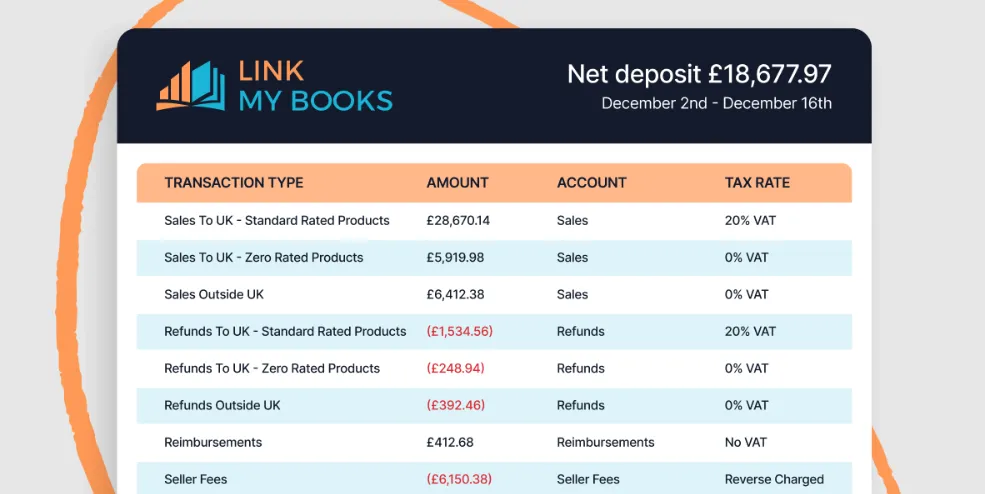
Square gives you the tools to take payments and apply tax at checkout. It does not ensure that VAT is recorded correctly once payouts hit your bank or that your VAT reports reflect what actually happened across sales, refunds, fees, and cross-border transactions.
That gap is where most Square VAT problems start.
Link My Books removes the manual work and uncertainty by converting Square payout data into clean, VAT-correct accounting entries inside Xero or QuickBooks. Sales, VAT, fees, and refunds are separated automatically. Mixed VAT rates stay correctly grouped. Payouts reconcile cleanly. VAT reports line up with Square documentation and bank deposits.
If you sell through Square and deal with VAT, especially once volumes grow or products diversify, spreadsheets and manual exports stop scaling. Automation becomes the safest way to prevent overpaying VAT, missing reclaimable VAT, or discovering errors at return time.
Start a free trial of Link My Books and make your Square VAT bookkeeping accurate by default.





.webp)





.png)