


Square makes it easy to take payments. It does not make it easy to keep clean books.
Here’s the problem: Square reports show sales activity, but your bank receives payouts that reflect real-world deductions and timing. Fees, refunds, tips, partial payments, and payout schedules all affect what lands in your account, which is why sellers constantly struggle to “match the deposit.”
That gap creates predictable bookkeeping problems:
- Your sales report does not match your bank deposit.
- Refunds hit later and disrupt the month you thought you closed.
- Fees reduce payouts, but they still need correct categorization for profit tracking.
These issues compound fast as you add locations, payment methods, more refunds, and more compliance pressure. This guide shows you how to set up Square bookkeeping correctly from day one, including the fastest way to reconcile Square payouts inside Xero or QuickBooks.
Key Takeaways from this Post
Square reports show activity, not accounting. Sales, tips, refunds, fees, and payout timing all affect what actually hits your bank account, which is why Square balances rarely match without proper bookkeeping.
As your business grows, manual tracking and spreadsheets break down fast, increasing the risk of errors and tax misreporting.
Link My Books solves this by automatically breaking Square payouts into clean, reconciled summaries and syncing them into Xero or QuickBooks, preventing overpayments, and giving you reliable numbers you can actually trust.







What Is Square Bookkeeping?
Square bookkeeping means recording Square activity in a way that produces accurate financial statements and matches your bank.
At a minimum, Square bookkeeping covers:
- Sales: What customers paid (including tips and partial payments when relevant)
- Refunds: Money returned to customers, often on a different day than the original sale.
- Fees: Processing and other Square charges that reduce your true profit.
- Payout reconciliation: Matching what Square paid out to what your bank received, so your books tie out each month.
Square can show you performance and activity inside its dashboard. Bookkeeping turns that activity into accounting-ready entries inside Xero or QuickBooks, so you can close your books confidently and file correctly.
What does Square bookkeeping involve?
Square bookkeeping covers far more than tracking daily sales. It involves translating Square activity into accurate, reconciled financial records that reflect what your business actually earned.
Here’s what that process includes.
Recording Square sales correctly
Square sales data can include completed transactions, partial payments, discounts, and tips. These elements affect gross revenue and must be recorded accurately to avoid overstating income.
Accounting for Square fees
Square deducts processing fees before paying you. If these fees are not recorded separately, your profit figures will be inflated and unreliable. Proper bookkeeping isolates fees so you can see true margins.
Handling refunds and returns
Refunds can be full or partial and often occur days after the original transaction. This timing mismatch is one of the most common causes of inaccurate monthly reports if refunds are not tracked and matched correctly.
Reconciling Square payouts
Square does not deposit individual sales into your bank account. It batches activity into payouts that reflect sales minus fees and refunds, often with a delay. Bookkeeping must reconcile these payouts to your bank deposits to ensure nothing is missing or duplicated.
Managing sales tax, VAT, or GST
Square can calculate taxes at checkout, but sellers remain responsible for the correct setup, reporting, and remittance. You can easily overpay or underpay Square VAT, and that creates a different set of problems. This makes tax-aware bookkeeping essential, especially for multi-location or multi-rate businesses.
Syncing Square with accounting software
Because Square reports are operational, not accounting-ready, sellers rely on accounting software integrations to convert Square activity into usable financial records. This is why accounting platforms explicitly promote Square syncing for bookkeeping accuracy.
Square bookkeeping vs Square accounting
Square bookkeeping and Square accounting are closely related, but they are not the same thing. Confusing the two is one of the main reasons sellers end up with unreliable numbers.
Square bookkeeping is about recording what happened. Square accounting is about understanding what it means.
Bookkeeping ensures every sale, fee, refund, and payout from Square is captured accurately. Accounting uses that data inside platforms like QuickBooks or Xero to produce reports, file taxes, and guide business decisions.
Square bookkeeping vs accounting: Side-by-side comparison
Square itself sits firmly on the bookkeeping side. Its reports help you see activity, but they do not produce accounting outputs like profit and loss statements or tax-ready figures.
This is why Square sellers rely on accounting software. Platforms like QuickBooks explicitly position their Square integration as a way to turn Square data into proper bookkeeping records that can then be used for accounting and compliance.
In short:
- Bookkeeping makes Square data usable
- Accounting makes Square data meaningful
How to do bookkeeping for Square sellers
The easiest way to do Square bookkeeping is to treat Square as a payment processor, not an accounting system.
Instead of posting every transaction manually, the goal is to summarize Square activity into clean, reconciled entries that match your bank deposits.
Here’s how to do it:
- Connect Square to your accounting software
- Map accounts and tax rules once
- Generate payout summaries instead of raw transactions
- Reconcile payouts to bank deposits
Step 5: Review clean financial reports
Most Square sellers use a middleware tool to sit between Square and their accounting software. This approach converts Square payouts into accounting-ready summaries that reconcile automatically.
This is exactly how Link My Books works.
Step 1: Connect Square to your accounting software
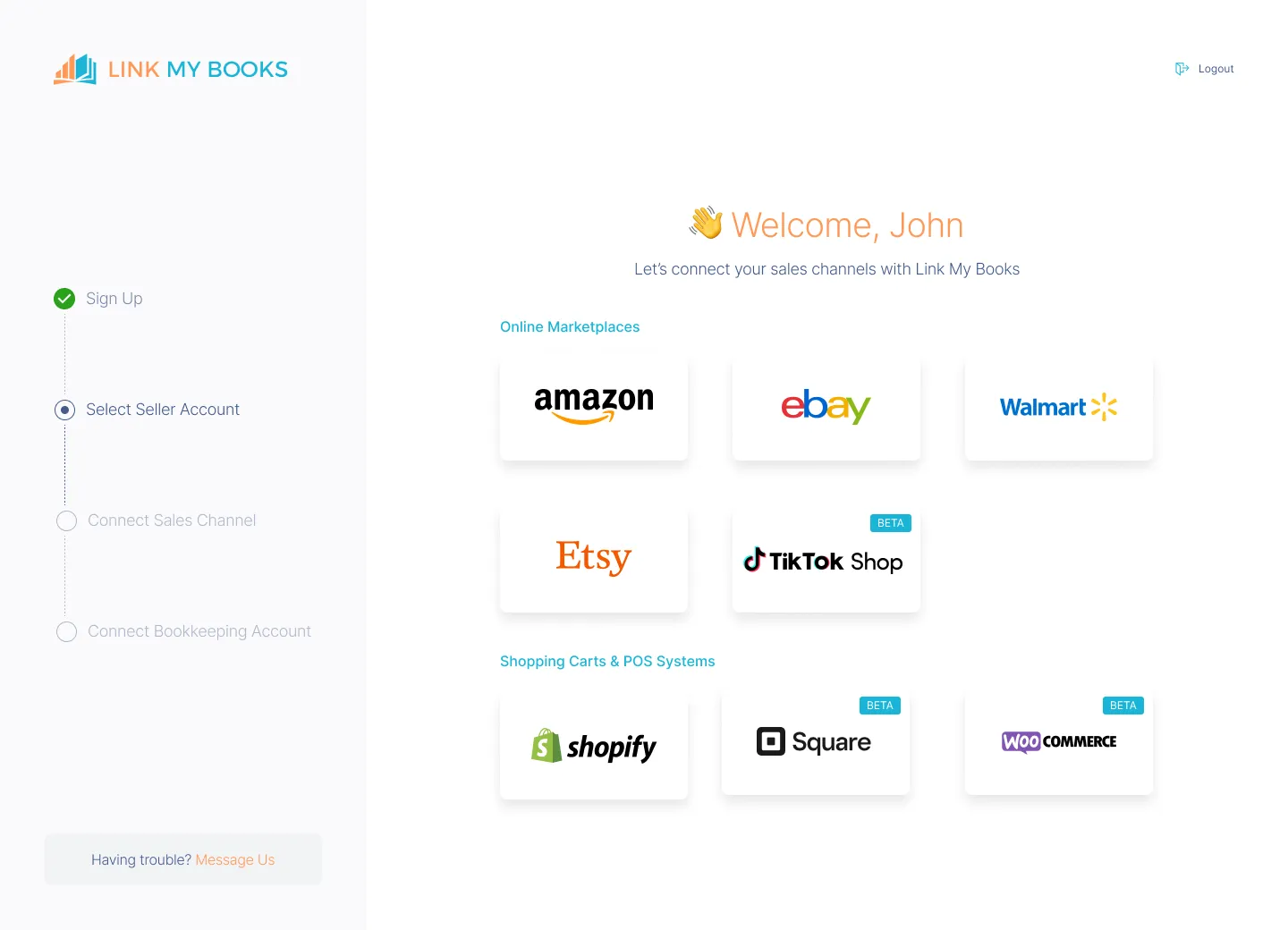
Start by connecting your Square account and linking it to either Xero or QuickBooks through Link My Books.
Link My Books pulls:
- Sales totals
- Tips
- Fees
- Refunds
- Tax data
This happens without importing individual transactions, which keeps your books clean and scalable.
Step 2: Map accounts and tax rules once
During setup, you map:
- Sales accounts
- Fee accounts
- Refund accounts
- Tax rates
This step ensures Square activity posts correctly every time, without repeated manual work.
Step 3: Generate payout summaries instead of raw transactions
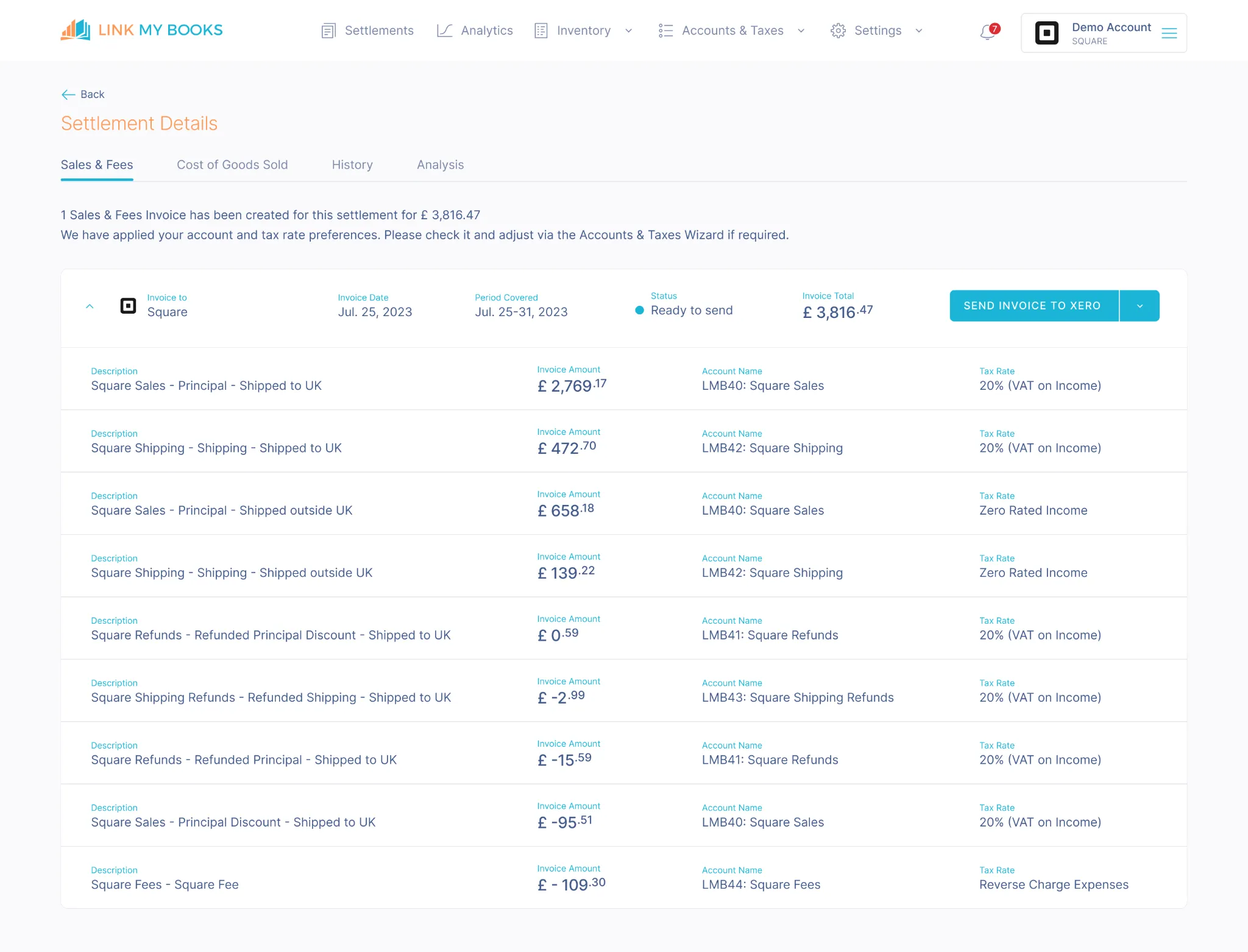
Rather than flooding Xero or QuickBooks with thousands of sales, Link My Books creates summary journal entries or invoices per payout.
Each summary breaks out:
- Gross sales
- Processing fees
- Refunds
- Taxes
This structure mirrors how Square actually pays you, which is essential for accurate reconciliation.
Step 4: Reconcile payouts to bank deposits
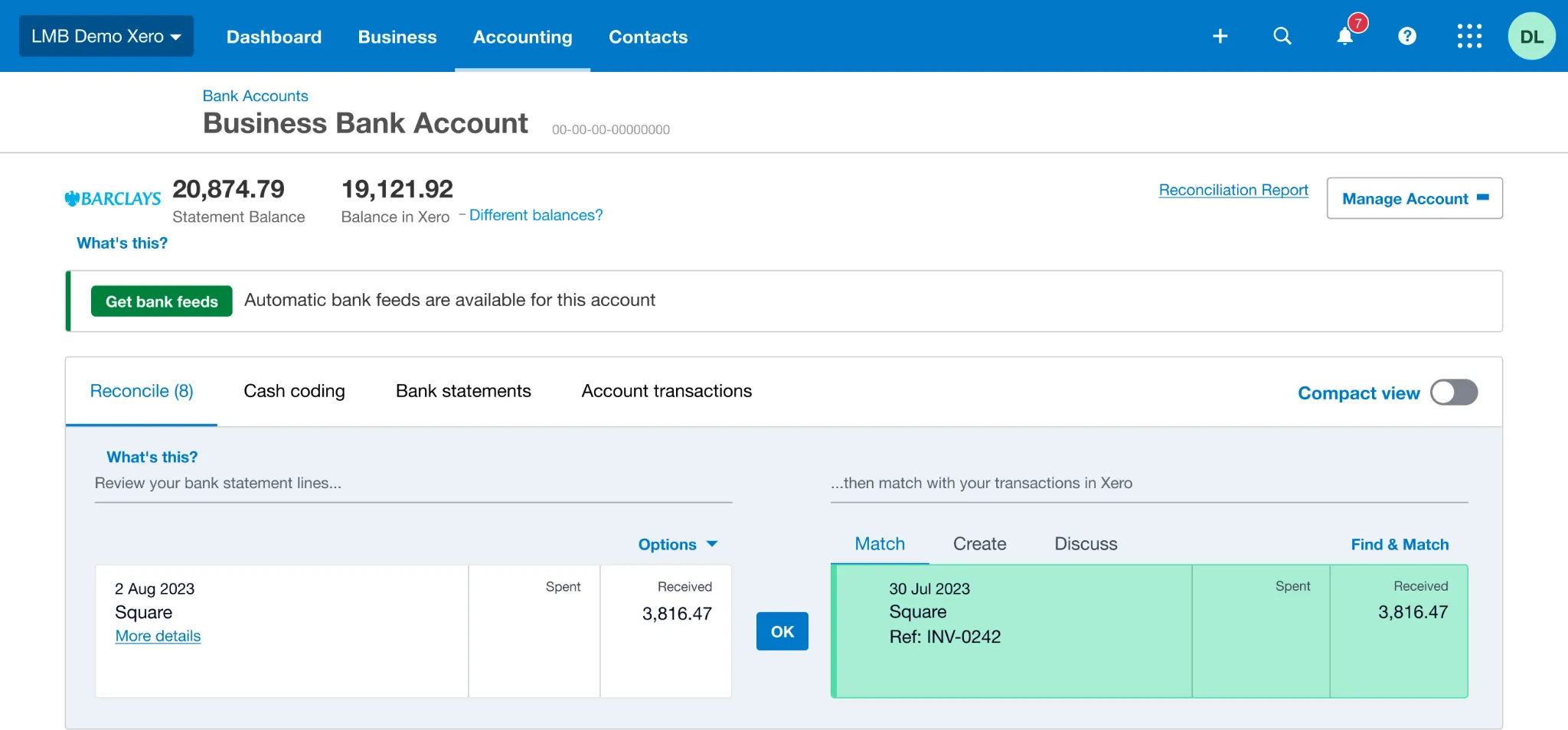
Because each summary matches a Square payout, reconciliation becomes a one-click process inside Xero or QuickBooks.
This solves the most common Square bookkeeping problem: bank deposits that never match reported sales.
Step 5: Review clean financial reports
Once reconciled, your accounting software can reliably produce:
- Profit and loss statements
- Cash flow reports
- Tax-ready figures
At this point, Square bookkeeping stops being a monthly fire drill and becomes a predictable, review-based process.
Why this approach works for Square sellers
Square reports are operational. Accounting software is analytical. Middleware like Link My Books exists to translate between the two, giving you accurate books and automated accounting.
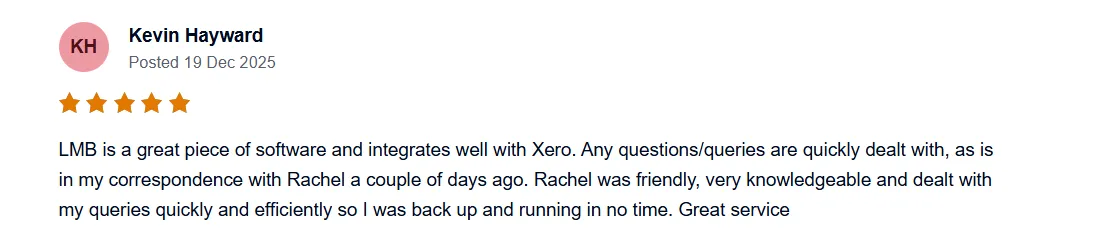
And you can try it out for free, no credit card needed!
Best accounting tools for Square businesses
Square sellers need accounting software that can turn payment activity into reliable financial reports. In practice, two platforms dominate this space: Xero and QuickBooks Online.
The difference comes down to how well Square data is structured before it enters those systems.
Xero with Link My Books
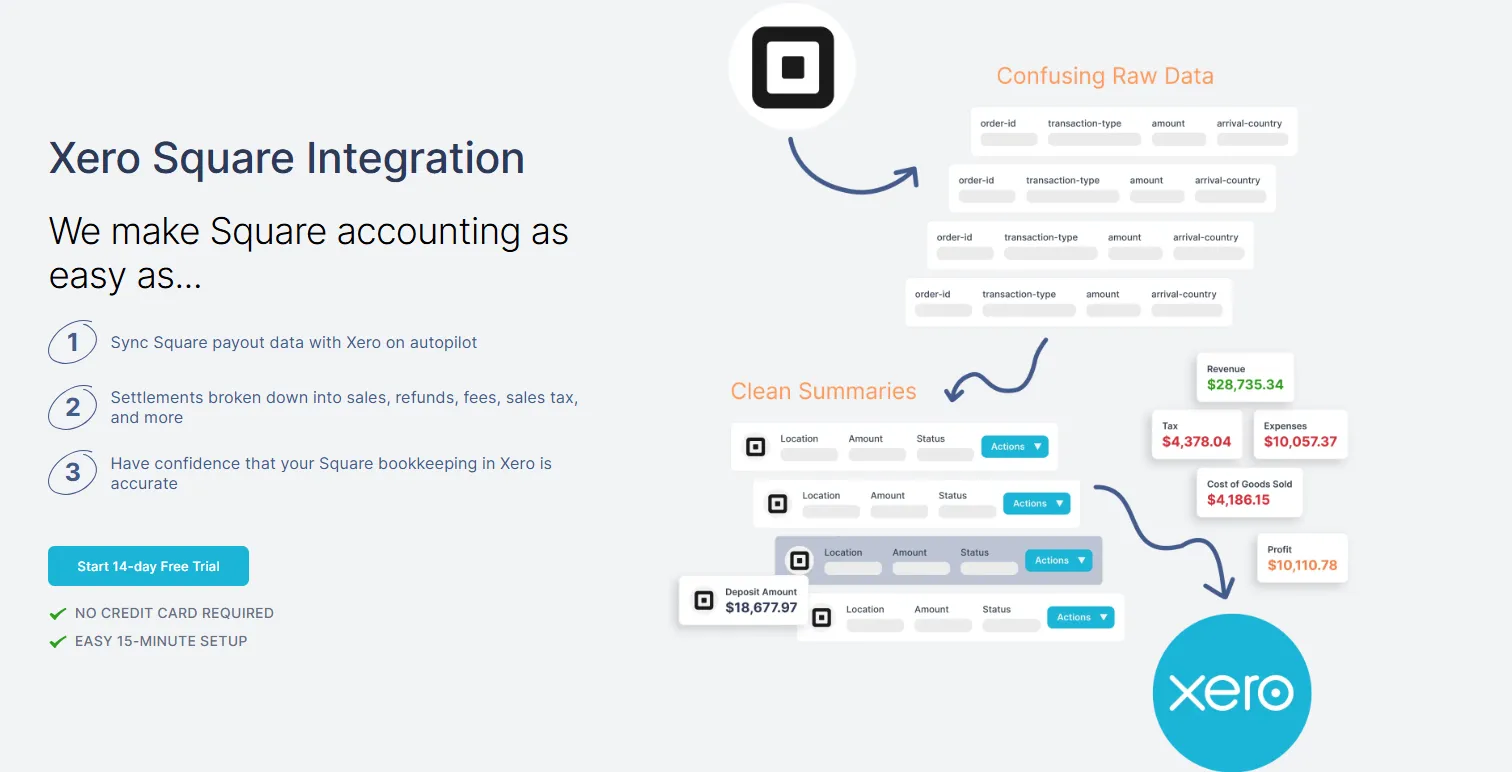
Xero is widely used by ecommerce sellers because of its strong reconciliation tools and tax reporting features. On its own, Xero still needs clean input data to work properly.
When paired with Link My Books, Square data enters Xero as payout-level summaries instead of raw transactions.
This setup allows Square sellers to:
- Reconcile Square payouts directly to bank deposits
- Separate sales, fees, refunds, and taxes automatically
- Produce accurate profit and loss statements without manual cleanup
- Manage VAT, sales tax, or GST inside Xero using reliable source data
Xero’s own documentation emphasizes its role as the system of record for accounting, not payment processing. Link My Books ensures Square data arrives in the format Xero expects.
QuickBooks Online with Link My Books
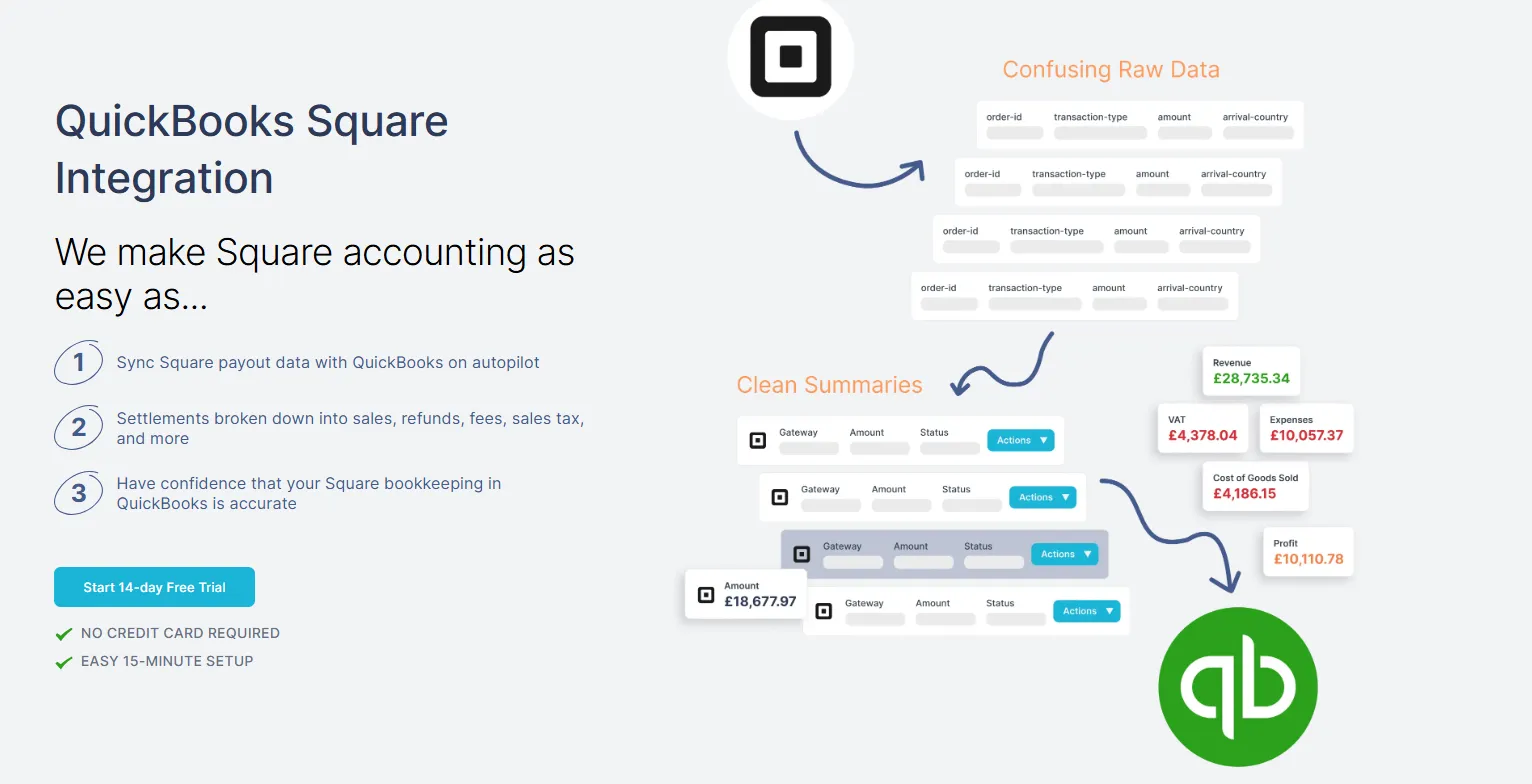
QuickBooks Online is a popular choice for Square sellers, particularly in the US. Intuit promotes Square integration as a way to automate bookkeeping and reduce manual data entry.
The challenge is that native integrations often import transaction-level data, which can complicate reconciliation and distort reports as volume grows.
Using Link My Books with QuickBooks Online solves this by:
- Posting payout summaries that match Square deposits
- Breaking out fees and refunds cleanly
- Preventing duplicate or mismatched entries
- Keeping QuickBooks files lightweight and scalable
This approach aligns with Square’s own guidance that accounting apps are needed to extend Square’s reporting into full bookkeeping and compliance workflows.
If you want a more in-depth read, check out the Best Accounting Software for Square.
Why this pairing works for Square sellers
Square captures payments. Xero and QuickBooks interpret financial performance. Link My Books connects the two by translating Square activity into accounting-ready data.
That combination gives Square sellers clean books, faster reconciliations, and confidence in their numbers without relying on spreadsheets or manual work.
Why Square accounting is vital for sellers
Using Square without proper accounting creates blind spots that get more expensive as your business grows. Square helps you accept payments. Accounting helps you understand whether your business is actually working.
Compliance with tax laws
Square can calculate sales tax, VAT, or GST at checkout, but sellers remain responsible for correct setup, reporting, and remittance. Without accurate accounting records, it becomes difficult to prove compliance or respond to audits.
Understanding your business’s financial health
Square does not generate profit and loss statements or balance sheets. These reports come from accounting platforms like Xero and QuickBooks Online. Without them, sellers operate on revenue alone, which hides fees, refunds, and true margins.
Managing cash flow accurately
Square payouts are delayed and batched, which means sales activity and bank balances rarely align. Proper accounting reconciles Square payouts to actual deposits, giving sellers a reliable view of cash flow instead of guesswork.
Planning and scaling with confidence
As sales volume grows, decisions around hiring, inventory, pricing, and expansion depend on accurate financial data. Accounting systems exist to support forecasting and long-term planning, while payment platforms do not.
In short, Square accounting turns payment activity into usable business intelligence. Without it, sellers make decisions based on incomplete data.
The challenges with managing Square business accounts
Managing Square accounts becomes difficult not because Square is broken, but because payment data does not equal accounting data.
Payouts that never match sales
Square does not deposit individual sales into your bank account. It batches activity into payouts that include deductions for fees and refunds, often with a delay. Without proper reconciliation, sellers struggle to explain why reported sales do not match bank balances.
Fees that distort profitability
Square processing fees reduce what you actually receive, but they are not always obvious in basic sales views. If fees are not recorded separately, profit margins appear higher than they really are.
Refunds that hit the “wrong” month
Refunds can be full or partial and may be issued days after the original sale. This timing mismatch often causes month-end reports to change after books were thought to be closed.
Sales tax configuration errors
Square can calculate tax at checkout, but sellers remain responsible for setting rates correctly and reporting collected taxes. Misconfigured tax rules can result in over- or under-collection and compliance risk.
Manual reporting and spreadsheet risk
Many sellers export Square reports and rely on spreadsheets to piece everything together. This approach increases the likelihood of missed transactions, duplicated entries, and inconsistent figures across months.
These challenges compound as transaction volume grows, which is why Square sellers eventually need structured bookkeeping workflows rather than manual workarounds.
Ecommerce accounting methods for Square sellers (Manual vs automated)
Square sellers generally follow one of two accounting methods: manual bookkeeping or automated bookkeeping. The difference becomes obvious as soon as transaction volume increases.
Manual vs automated Square bookkeeping
Manual bookkeeping starts with Square reports but quickly becomes fragile. Square itself provides the raw data, not accounting-ready records, which is why sellers exporting CSVs often struggle with mismatched payouts, refunds posted late, and fees distorting profit figures.
Automated bookkeeping uses tools from Square’s own App Marketplace to transform Square activity into accounting-ready data. Solutions like Link My Books summarize payouts before syncing them into Xero or QuickBooks, which is why reconciliation becomes faster and more reliable.
Extra tips on how to do Square seller accounting
Getting Square bookkeeping right is not only about tools. A few structural decisions determine whether your numbers stay accurate as you grow.
Choose the right accounting method
Most small Square sellers start with cash accounting, where income and expenses are recorded when money moves. As businesses grow, accrual accounting becomes more useful because it matches revenue and costs to the period they relate to. The key is consistency and understanding how refunds and delayed payouts affect reporting.
Separate personal and business finances
Mixing personal and business transactions makes reconciliation harder and increases compliance risk. Dedicated business bank accounts and cards create clean boundaries that simplify Square payout matching and financial reviews.
Use accounting software, not Square alone
Square reports show activity but do not generate profit and loss statements, balance sheets, or cash flow reports. Those come from accounting platforms like Xero or QuickBooks, which rely on accurate bookkeeping data to work properly.
Reconcile Square payouts regularly
Square batches transactions into payouts that rarely match sales totals. Regular reconciliation ensures every payout matches a bank deposit and that fees and refunds are accounted for correctly.
Stay proactive with tax compliance
Even when Square calculates tax at checkout, sellers remain responsible for configuration, reporting, and remittance. Regular reviews reduce the risk of under- or over-reporting taxes.
Use free resources, but verify the numbers
Square and accounting platforms offer guides and dashboards that help with education and monitoring. These resources work best when your bookkeeping data is already clean and reconciled.
Key financial reports to know for Square sellers
Square shows you what customers paid. Financial reports show you whether your business is actually profitable and sustainable.
These are the three reports every Square seller should understand and review regularly.
Key financial reports for Square sellers
These reports are produced inside accounting platforms like Xero and QuickBooks Online, not inside Square itself.
Profit and Loss statement
The P&L shows how much you earned and how much it cost you to earn it. For Square sellers, this is where processing fees, refunds, and operating expenses reveal whether high sales volume actually translates into profit.
Balance Sheet
The balance sheet confirms that what Square says it paid you matches what your bank received, and that liabilities like unpaid taxes are properly recorded. It is a key report for catching reconciliation issues early.
Cash Flow Statement
Square payouts are delayed and batched, which means sales activity and cash availability do not move in sync. The cash flow statement explains these timing differences so you can plan expenses and growth with confidence.
Key financial metrics to know for Square sellers
Square tells you how much customers paid. Financial metrics tell you whether those sales are worth it.
These are the most important metrics Square sellers should track once their bookkeeping is accurate.
Key financial metrics for Square sellers
These metrics rely on accounting data from platforms like Xero or QuickBooks Online. Square alone does not calculate them.
Cost of Goods Sold (COGS)
COGS includes the direct costs tied to products sold, such as purchase or manufacturing costs. Without tracking COGS, Square sellers may think they are profitable when margins are actually thin or negative.
Gross margin
Gross margin shows how much money remains after accounting for product costs and processing fees. It is one of the clearest indicators of whether pricing and costs are sustainable.
Inventory turnover
Inventory turnover measures how efficiently inventory is sold and replaced. Slow turnover ties up cash, while fast turnover improves liquidity and reduces storage risk.
Square and sales taxes
Sales tax is one of the most misunderstood parts of Square bookkeeping. Square can help calculate tax, but it does not remove your responsibility as a seller.
What Square handles
Square allows sellers to configure tax rates and automatically calculate sales tax at checkout. These tax amounts appear in Square reports alongside sales activity.
What sellers are still responsible for
Even when Square calculates tax, sellers remain responsible for:
- Ensuring tax rates are configured correctly
- Reporting collected tax accurately
- Filing returns and remitting tax to authorities
Square’s documentation is clear that tax compliance ultimately sits with the seller, not the platform.
Why accounting software is required
Square tax reports show what was collected, but they do not generate tax returns or accounting reports. Platforms like Xero and QuickBooks Online turn tax data into filing-ready reports and summaries.
Reconciling tax with payouts
Square payouts are net of fees and refunds, which means tax collected must be tracked separately from revenue. Without proper reconciliation, sellers risk misreporting taxable income or paying tax twice.
How to reconcile payments into the bank from Square and other payment gateways
Reconciling Square payments is where most bookkeeping workflows break down. The reason is simple: Square does not pay you per sale.
Why Square reconciliation is difficult
Square batches transactions into payouts that hit your bank after fees and refunds are deducted. That means your bank deposit will never equal your sales total for the day or week.
Without reconciliation, sellers are left guessing whether:
- A payout is missing
- Fees were double-counted
- Refunds were posted correctly
The correct way to reconcile Square payouts
The cleanest method uses a clearing account and payout-level summaries.
- Record Square activity into a clearing account: Sales, fees, refunds, and taxes are posted to a Square clearing account rather than directly to the bank.
- Post payout summaries, not individual transactions: Each payout reflects the net amount Square deposits, matching real cash movement.
- Match payouts to bank deposits: When the payout hits your bank feed, reconciliation becomes a one-click process.
This approach aligns with standard bank reconciliation principles.
Why raw transaction imports fail
Importing every Square transaction directly into your bank account creates noise and mismatches. Accounting platforms like QuickBooks Online explicitly frame reconciliation around matching deposits, not individual card payments.
How Link My Books simplifies reconciliation
Link My Books automates this entire flow by:
- Summarizing Square activity per payout
- Separating sales, fees, refunds, and taxes
- Posting entries that exactly match bank deposits
This removes guesswork and prevents month-end reconciliation surprises.
FAQ
How do you record a sale on Square for accounting?
A Square sale should be recorded as part of a payout summary, not as an individual bank transaction. Square processes customer payments, deducts fees, applies refunds, and then deposits a net payout to your bank. Proper bookkeeping records the gross sale, fees, refunds, and taxes separately, then reconciles them to the payout. Square itself confirms that payouts bundle multiple transactions together, which is why direct matching to sales does not work.
If you want a deeper breakdown of the reports involved, see the Square sales report guide.
What accounting software works best with Square?
Square integrates with accounting software like QuickBooks Online and Xero, both of which are designed to produce profit and loss statements, balance sheets, and tax-ready reports.
What’s the best way to track inventory for Square sellers?
Square can track inventory quantities, but it does not calculate inventory valuation, cost of goods sold, or inventory turnover for accounting purposes. Those metrics come from accounting software and proper bookkeeping workflows.
For sellers managing stock alongside sales, inventory costs should be reflected in accounting reports, not just operational dashboards. This is especially important when reconciling inventory-driven margins in Square bookkeeping.
How do you connect Square to QuickBooks?
Square can connect directly to QuickBooks Online, but many sellers choose middleware to avoid importing thousands of individual transactions. QuickBooks promotes Square syncing as a way to automate bookkeeping, but reconciliation still depends on how data is structured.
Tools like Link My Books summarize Square payouts before sending them to QuickBooks, making reconciliation faster and more reliable.
How often should I reconcile my Square sales with bank deposits?
At minimum, Square sellers should reconcile monthly, after all payouts for the period have landed in the bank. Businesses with higher volume often reconcile weekly to catch issues early. Because Square payouts are delayed and batched, reconciliation ensures no deposits are missing and fees or refunds are not double-counted.
If you’re dealing with tax reporting, this reconciliation step is especially important when preparing Square tax forms and filing returns.
Make Square Accounting Easy and Accurate With Link My Books
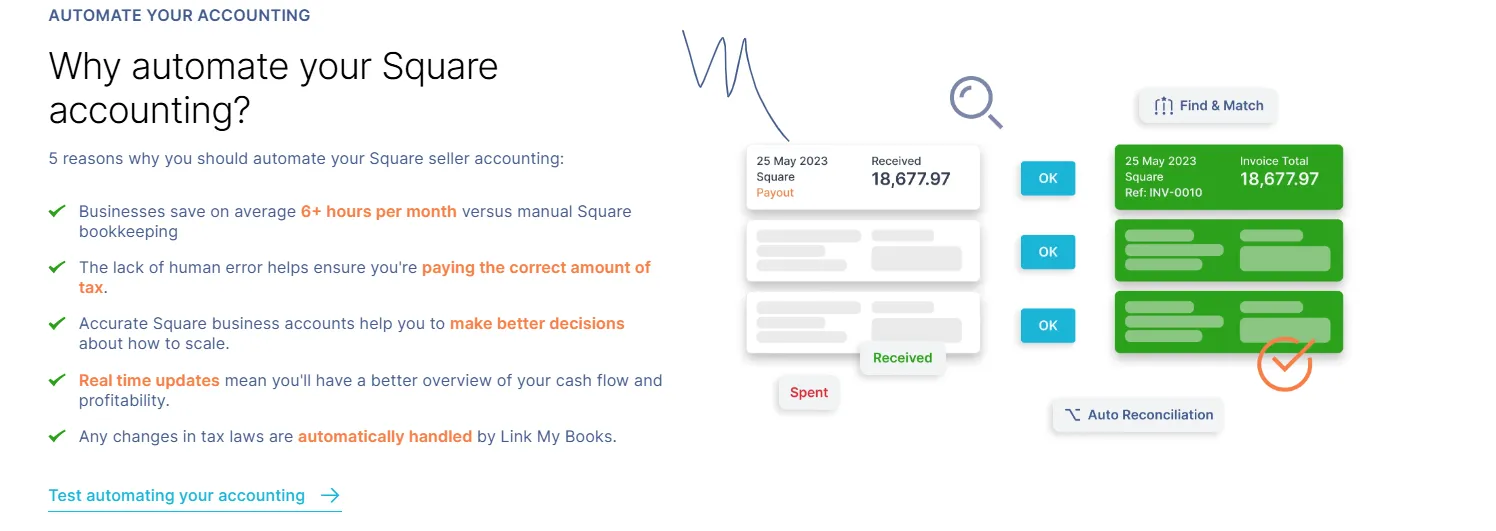
Square generates sales activity. Accounting requires structure, reconciliation, and accuracy. The gap between the two is where most Square sellers lose time, confidence, and money.
Link My Books closes that gap by acting as a dedicated bookkeeping layer between Square and your accounting software. Instead of pushing raw transactions into Xero or QuickBooks, it converts Square payouts into clean, summarized entries that actually reconcile.
How Link My Books helps Square sellers
- Pulls Square sales, fees, refunds, tips, and tax data automatically
- Breaks each payout into accounting-ready summaries
- Syncs directly with Xero or QuickBooks
- Matches payouts to bank deposits with one click
- Keeps your books lightweight, accurate, and audit-ready
Link My Books is designed specifically for ecommerce and payment-platform complexity. It follows the same principles recommended by Square, Xero, and QuickBooks: reconcile at the payout level, separate fees and taxes, and keep accounting systems clean and scalable.
Who this is for
- Square sellers tired of mismatched deposits
- Businesses preparing for tax filing or compliance reviews
- Sellers scaling volume and adding payment channels
- Accountants managing multiple Square clients
If you want Square bookkeeping that works the way accounting software expects, start with Link My Books. Setup takes minutes, not weeks, and the payoff shows up the first time your bank reconciliation clicks into place.

You can start a free trial and see the difference immediately.




-optimized.webp)



.png)