


TikTok Shop has quickly become one of the fastest-growing e-commerce platforms for creators and brands alike. But when it comes to accounting, things can get messy. Each payout includes a mix of sales, refunds, fees, shipping adjustments, and tax — making it difficult to match what lands in your bank with what appears in Seller Center.
Most sellers try to untangle this by downloading CSV files from TikTok Shop’s Finance > Transaction Reports page, filtering columns in spreadsheets, and manually categorizing every line in QuickBooks or Xero. It’s tedious, time-consuming, and prone to errors - especially if you’re dealing with VAT (UK/EU) or sales tax (US).
That’s why smart sellers use automation. Link My Books connects TikTok Shop directly to your accounting software, automatically importing and categorizing every sale, refund, fee, and tax. Each payout is summarized cleanly, reconciled perfectly, and matched to your bank feed to the cent.
By the end, you’ll know exactly how to get your TikTok Shop transaction report, what to look for, and how to make bookkeeping effortless.
Key Takeaways from this Post
TikTok Shop transaction reports combine sales, refunds, commissions, shipping income, and tax, making manual reconciliation tricky.
Without automation, errors in VAT or sales tax reporting are common, especially when TikTok collects tax on your behalf.
Link My Books automates TikTok Shop bookkeeping by syncing every payout into Xero or QuickBooks, applying the correct tax rules, and matching deposits instantly.







Where Most Sellers Go Wrong With TikTok Shop Transaction Reports
Many TikTok Shop sellers assume that downloading their payment statement once a month is enough to keep their books accurate. Unfortunately, it’s not that simple.
TikTok Shop payouts combine every type of transaction into one figure - including product sales, platform fees, shipping adjustments, refunds, and taxes collected on your behalf. When you record the net payout as “sales income,” you end up with distorted profit data and inaccurate tax filings.
Here are the most common mistakes sellers make when handling TikTok Shop transaction reports:
1. Treating Payouts as Total Sales
TikTok Shop transfers only the net amount after deducting platform commissions, discounts, and shipping adjustments. If you record this net payout as total revenue, you’ll overstate your income and understate your expenses - a major problem when preparing VAT or sales tax returns.
2. Missing Platform Fees and Commissions
TikTok charges multiple fees - including sales commissions, service fees, and promotional deductions. These aren’t itemized in your payout amount unless you review the transaction report in detail. Missing these fees means your expense tracking and profit margins will always be off.
3. Misreporting Tax or VAT
In the US, TikTok Shop acts as a Marketplace Facilitator, collecting and remitting sales tax on your behalf in most states.
In the UK and EU, TikTok collects VAT for many cross-border sales. Sellers who fail to separate TikTok-collected taxes from their income risk double-reporting them to HMRC or local tax authorities.
4. Ignoring Refund Adjustments
Refunds on TikTok Shop may appear days or weeks after a payout is issued. If you don’t track these reversals, your sales figures will remain inflated and your tax liabilities inaccurate.
5. Overlooking Timing Differences
TikTok Shop payouts typically cover multiple days of transactions, which rarely align neatly with your accounting periods. Without matching settlements properly, your bank feed and transaction reports will always show mismatched totals.
That’s where Link My Books changes everything. It connects your TikTok Shop account directly to QuickBooks or Xero, pulls in every payout automatically, and separates sales, refunds, fees, and taxes - all mapped to the correct accounts for instant reconciliation.
How to Get a TikTok Shop Transaction Report the Easy Way (With Link My Books)
Manually downloading and sorting TikTok Shop reports works - but it’s slow, repetitive, and risky when you’re managing high sales volumes across countries. The easy way is to automate everything with Link My Books.
Instead of downloading spreadsheets from the Finances > Statements section and manually mapping sales, fees, refunds, and taxes, Link My Books connects TikTok Shop directly to Xero or QuickBooks, pulling in every payout automatically. Each transaction is categorized, tax-coded, and summarized - ready for one-click reconciliation.
Here’s how it works:
Step 1: Connect your accounts
- Set up Link My Books by connecting TikTok Shop and your QuickBooks or Xero account.
- The connection is secure and takes just a few clicks.
- Once done, all future TikTok Shop payouts will flow into Link My Books automatically.
Step 2: Run the setup wizard
The guided setup walks you through every mapping step:
- Sales: where gross sales and discounts will post
- Refunds: mapped as contra-income so returns reduce revenue, not inflate costs
- Fees: commission, affiliate, or promotional deductions routed to expense accounts
- Taxes: automatically separates TikTok-collected VAT or sales tax based on region
If you sell in both the UK/EU and US, Link My Books applies the correct logic for each - VAT for UK/EU transactions, sales tax for US sales - so you never double-report.

Step 3: Choose your sync mode
Select Manual Sync if you’d like to review each payout before posting, or turn on AutoPost to let Link My Books publish new TikTok Shop settlements automatically as they arrive.
Step 4: Reconcile in one click

Every TikTok Shop payout becomes a single, clean summary entry in your accounting software. The total matches your bank deposit exactly, so reconciliation is instant - no spreadsheets, no formulas, no missing cents.
Step 5: Relax and review
Once set up, your TikTok Shop accounting runs quietly in the background. All sales, refunds, and fees are posted accurately, with the correct tax rules applied automatically. Your books stay audit-ready, and you always know exactly where your money goes.
✅ In less than 15 minutes, Link My Books turns complex TikTok Shop settlements into organized, tax-ready summaries that balance perfectly with your bank feed.
If you’re ready to simplify your TikTok Shop’s bookkeeping, you can start your free trial with Link My Books today.
How to Get a TikTok Shop Transaction Report (Manual Method)
If you still want to do it the hard way, here’s a step-by-step:
- Sign in to Seller Center → Finances.
- Open Statements or Payouts.
- Click Export → choose the date range → Export History → Download the Excel file.
- Use the workbook’s sheets (Order details, Shipping, Fees, Adjustments) to reconcile sales, fees, refunds, and tax.
- If your payout ≠ settlement total, review Reserve Details in the Finance section to see amounts held or released.
Source: TikTok Seller
Step 1: Go to Finances in Seller Center
- From the left menu, open Finances and choose Statements (or Payouts) to work with settlement-period reports.
- These exports are settlement-based, not order-date based, which is why they’re ideal for bank-deposit reconciliation.
Step 2: Export the settlement report
- Click Export, select the date range, then find the file in Export History and Download it.
- TikTok’s official guide confirms the export flow and file location.
TikTok’s settlement file is an Excel workbook with multiple sheets. The core sections are Net sales, Shipping, Fees, and Adjustments (format updated for 2024+). The “Order details” sheet lists statement date, order ID, SKU, gross sales, seller discounts, shipping lines, referral fee, affiliate commissions, and more.
Step 3: Reconcile by settlement, not order date
- Match each settlement total to your bank deposit.
- If there’s a difference, TikTok explains it’s often due to reserve movements.
- The Finances Page FAQ shows where to download On-hold and Reserve data and notes the dedicated Reserve Details sheet added to reports.
Step 4: Understand taxes in the report (US vs UK)
- United States – Sales tax: TikTok is a Marketplace Facilitator in states with such laws; it calculates, collects, and remits sales tax on marketplace transactions. Those lines are not your revenue and should be separated in your books.
- United Kingdom/EU – VAT context: If you sell into the UK/EU, VAT applies under local rules. Use TikTok’s settlement export to separate VAT-inclusive amounts from net sales for compliance, then report VAT per UK/EU requirements (see HMRC guidance for marketplace selling).
Step 5: Optional - programmatic access
If you want to pipeline data into a warehouse or custom tool, TikTok Shop’s Finance API exposes endpoints for transaction and payment details by date range.
Pro tips that save time
Use the Fees sheet to split referral fees, refund admin fees, and affiliate commissions into separate expense categories.
- Shipping is nuanced: the workbook includes customer-paid shipping, incentives, subsidies, and FBT-related fulfillment fees. Keep shipping income separate from shipping costs to see delivery margin clearly.
- Expect timing differences: settlements are daily-generated per your settlement period rules; not every order appears in the same accounting period as its bank deposit. Reconcile by settlement.
If you want to skip exports altogether, Link My Books can fetch TikTok Shop settlements and post clean summaries straight into Xero or QuickBooks, with sales-tax or VAT separation handled for you.
How Link My Books Makes Accounting for TikTok Shop Easy
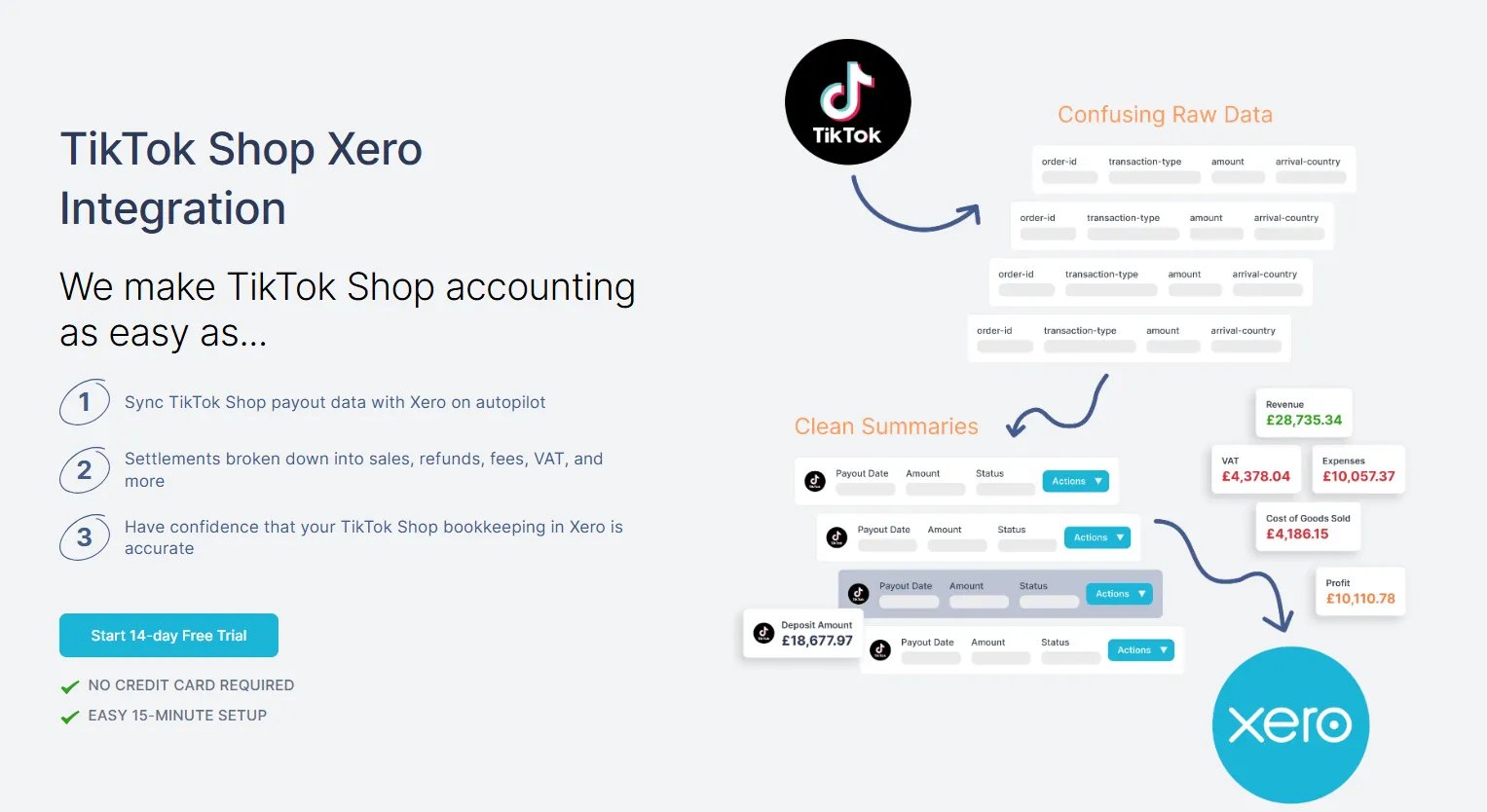
TikTok Shop accounting doesn’t have to be complicated. Once you connect your account to Link My Books, every payout is imported, categorized, and reconciled automatically. No spreadsheets, no manual tax mapping - just clean, accurate bookkeeping that runs quietly in the background.
Each TikTok Shop settlement is broken down into sales, refunds, commissions, shipping, and taxes. Link My Books then posts a single summary entry into Xero or QuickBooks that matches your bank feed exactly. It’s the simplest way to keep your books accurate and compliant, even if you sell across multiple countries.
Accurate Tax and VAT Handling
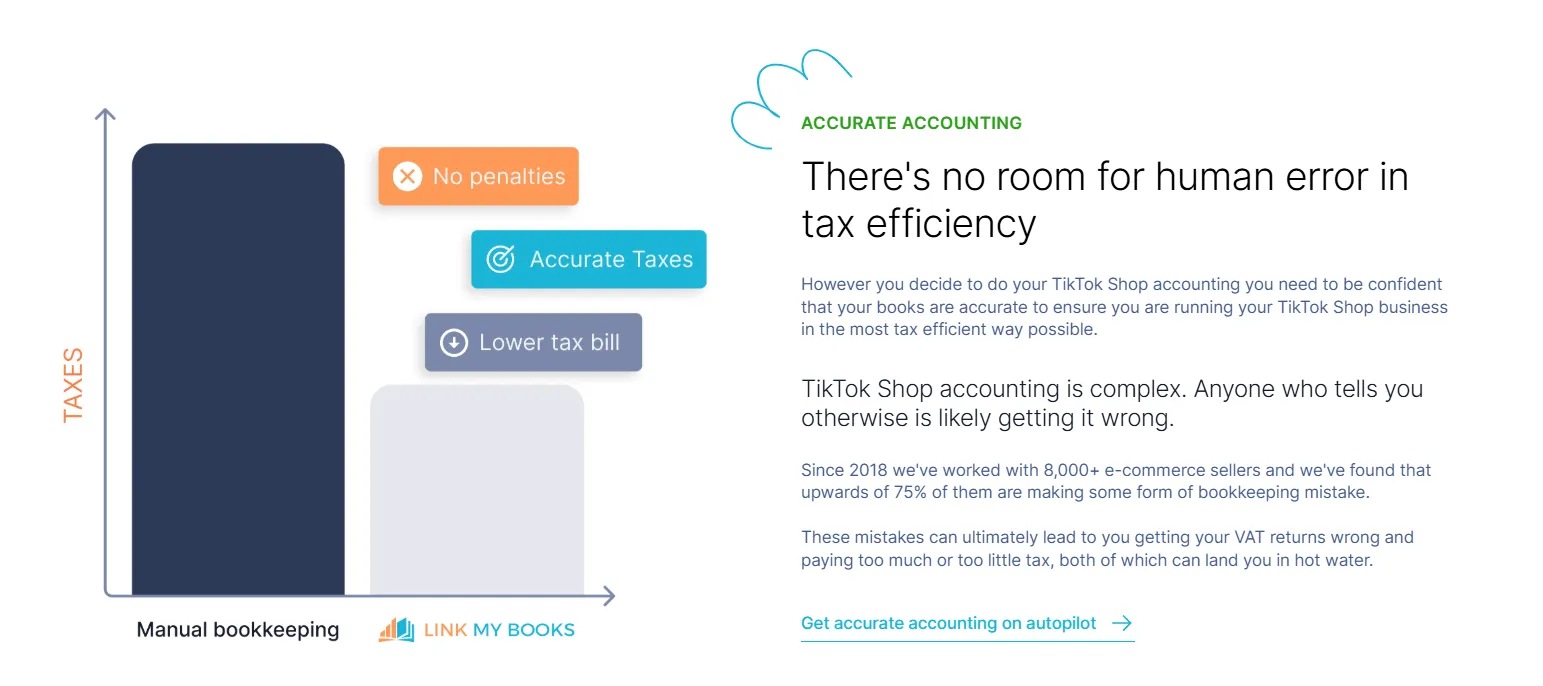
Whether you sell in the United States or United Kingdom, Link My Books applies the correct tax logic for each transaction.
- US sellers: TikTok Shop acts as a Marketplace Facilitator, collecting and remitting sales tax on your behalf in most states. Link My Books separates facilitator-collected tax automatically so it never inflates your revenue.
- UK and EU sellers: The system identifies when TikTok collects VAT under cross-border rules and applies the correct rates in your accounting software, ensuring full compliance with HMRC or OSS filings.
No more double-reporting, overpaying, or chasing missing tax adjustments - everything is mapped automatically.
Clean, Organized Reporting

Each payout is summarized into a single journal or invoice entry, clearly showing:
- Gross sales
- Refunds and discounts
- Platform and promotional fees
- Shipping income and costs
- Taxes collected or remitted
These summaries mirror TikTok’s settlement data exactly, so reconciliation takes seconds.
Profit and COGS Tracking

If you’re tracking profit margins, Link My Books also supports COGS mapping - automatically applying cost-of-goods-sold entries for each payout so your gross profit reports are always up to date.
You’ll see true margins per region, product, or marketplace without exporting or editing reports manually.
Fast Setup and Ongoing Automation
Getting started takes less than 15 minutes.
The setup wizard walks you through every mapping step once, and from there, Link My Books handles:
- New settlements as they’re released
- Multi-currency conversions
- Automated posting and reconciliation
- Real-time tax mapping updates
For multi-channel sellers, it’s even easier - TikTok Shop, Amazon, Shopify, Etsy, Walmart, and eBay can all run in one Link My Books account, under one workflow.
Accountant-Approved and Backed by Experts

Every entry posted by Link My Books follows best accounting practice, and the support team is made up of qualified accountants who specialize in e-commerce. Whether you need help mapping fees or reviewing cross-border VAT, expert guidance is always available.
Link My Books takes TikTok Shop from messy to manageable - giving you clarity, compliance, and confidence with every payout.
👉 Start your free 14-day trial of Link My Books today and experience how effortless TikTok Shop accounting can be.
Essential TikTok Shop Transaction Report Figures to Know
TikTok Shop’s settlement exports include a detailed breakdown of every component that affects your payout - from gross sales and platform fees to refunds and taxes. Understanding what each line represents is key to accurate bookkeeping and compliance.
Here’s a quick guide to the main figures you’ll see in your TikTok Shop Transaction Report, and how they should be treated in your accounting software.
TikTok Shop settlements often include both US and international transactions if you sell across regions. Always confirm your marketplace region before filing - sales tax applies in the US, while VAT applies in the UK and EU.
With Link My Books, these distinctions are applied automatically, ensuring your totals are always compliant and your profit reports remain accurate across every currency and region.
Why You Need a TikTok Shop Transaction Report (and When You Don’t)
Your TikTok Shop transaction report is the foundation of accurate bookkeeping. It shows every sale, refund, fee, commission, shipping charge, and tax event that occurred during a payout period. Whether you’re filing VAT in the UK, sales tax in the US, or simply checking your cash flow, the transaction report provides the full financial picture of your TikTok sales.
But (and this is where many sellers go wrong) you don’t actually need to handle these reports manually once you’re using automation like Link My Books.
When You Need the Transaction Report
1. Month-End or Quarter-End Reconciliation
If you’re closing your books manually, you’ll need your TikTok Shop report to match payout totals against your bank deposits. It’s especially important when settlements span across accounting periods.
2. VAT and Sales Tax Filings
For UK/EU sellers, you’ll need to separate TikTok-collected VAT (where TikTok is the deemed supplier) from VAT you owe directly.
For US sellers, the report confirms which transactions had sales tax collected by TikTok and which are still your responsibility to remit.
3. Audits and Financial Reviews
If HMRC, the IRS, or your accountant ever requests proof of transactions, your TikTok Shop report is your audit trail. It contains item-level details (including SKU, country, and order ID) showing exactly how each payout was calculated.
4. Understanding Profitability
Your TikTok Shop report helps you break down costs: commissions, affiliate fees, promotions, and shipping charges. These insights are essential for tracking margins and setting better pricing strategies.
When You Don’t Need the Report
If you’re using Link My Books, you don’t need to download or analyze TikTok’s reports manually. Link My Books syncs directly with your TikTok Shop account and:
- Imports each payout automatically
- Separates sales, refunds, fees, and taxes accurately
- Applies the correct VAT or sales tax treatment based on your region
- Posts everything to your accounting software in one clean summary entry
Your financial data stays up to date without you ever opening a CSV.
Quick Comparison
The Takeaway
Manual TikTok Shop transaction reports are great for one-time audits - but for ongoing accounting, automation is faster, cleaner, and more accurate.
Link My Books removes the need for exports entirely, keeping your TikTok Shop data synced, tax-compliant, and ready for reconciliation at all times.
How to Use TikTok Shop Transaction Report Figures for VAT and Sales Tax
TikTok Shop automatically collects taxes on most sales, but how those taxes appear - and how you should record them - depends on your region. Sellers in the US deal with Marketplace Facilitator sales tax, while sellers in the UK and EU are subject to VAT and OSS rules.
When you understand which taxes TikTok handles and which you remain responsible for, you can prevent double-reporting, underpayments, and expensive filing errors.
For US Sellers: Marketplace Facilitator Sales Tax
TikTok Shop is officially registered as a Marketplace Facilitator in most US states. This means it collects and remits sales tax on your behalf for transactions where the buyer and shipping destination fall under state nexus laws.
In your TikTok Shop transaction report, you’ll see this listed as Sales Tax Collected by TikTok.
Here’s how to handle it:
- Do not include facilitator-collected tax as income: These amounts aren’t part of your revenue and should never be added to your sales totals.
- Post it to a liability or clearing account: This keeps your books accurate and prevents inflating income on your tax return.
- Focus only on taxable sales not covered by TikTok: If you sell in a state where TikTok isn’t obligated to collect tax (rare, but possible), you must still remit that portion yourself.
Link My Books automatically separates marketplace-collected tax from your income, ensuring your QuickBooks or Xero reports reflect true sales figures only.
For UK and EU Sellers: VAT and OSS
If you’re selling into the UK or EU, VAT treatment depends on whether TikTok acts as the “deemed supplier.”
- When TikTok is the deemed supplier (for B2C cross-border sales, or where goods are stored outside the destination country):
- TikTok collects and remits VAT on your behalf.
- The amount appears in your settlement report but shouldn’t be recorded as income or output VAT.
- When you are the deemed supplier (domestic sales within your home country or high-value exports):
- You’re responsible for charging VAT, recording it in your books, and reporting it on your return.
- Your TikTok report lists VAT-inclusive totals - you’ll need to separate net sales and VAT for accurate filing.
- For EU sellers using OSS (One Stop Shop):
- TikTok reports transactions that qualify for OSS automatically.
- Link My Books maps those sales to the correct VAT rate based on the customer’s location and your OSS configuration.
With Link My Books, this process is automated. The system recognizes when TikTok has collected VAT, when you must charge it, and how to post both correctly in Xero or QuickBooks. That means no double-reporting and no missed reclaim opportunities.
Common Mistakes to Avoid
FAQ on TikTok Shop Seller Sales and Tax Reporting
Will TikTok Shop send me a 1099 or tax form?
If you’re a US seller, TikTok issues a Form 1099-K when you meet federal or state reporting thresholds. You’ll find it under Seller Center → Taxes → Tax Documents. If you sell in the UK or EU, you’ll need your transaction exports for VAT returns instead. For automated reporting that stays tax-ready, see TikTok Shop bookkeeping.
How can I find my sales by country on TikTok Shop?
Go to Finances → Statements → Export, then open the “Order Details” sheet and filter by the customer’s shipping country. This helps when you’re calculating VAT by region or comparing domestic vs. international performance. Our TikTok Shop sales report guide explains how to interpret these exports more efficiently.
How far back can I see my TikTok Shop transactions?
TikTok Shop keeps transaction data available for 180 days in the Transactions view, and historical settlements can be downloaded from Export History. If you want a full, searchable history in your accounting software, automation keeps it indefinitely without CSV downloads.
Can I pull fee or commission data from TikTok Shop?
Yes. Your settlement export includes line items for platform commissions, affiliate fees, shipping adjustments, and promotional deductions. Post each as an expense so your gross-to-net margins are accurate. Automation tools like Link My Books categorize each fee type for you automatically.
How much do I have to earn on TikTok Shop before paying taxes?
In the US, income-tax thresholds depend on your overall earnings and filing status, while sales-tax obligations depend on state nexus. In the UK and EU, VAT registration thresholds vary by country. The key is that TikTok often collects tax on your behalf, but you’re still responsible for reporting your income correctly.
Does TikTok Shop automatically collect and remit tax?
Yes, in most jurisdictions. TikTok Shop is a Marketplace Facilitator in the US, collecting and remitting sales tax in the majority of states. In the UK and EU, TikTok acts as a deemed supplier for cross-border B2C sales, collecting VAT and remitting it to HMRC or local authorities. You only file for the transactions TikTok doesn’t cover.
How do I reconcile TikTok Shop payouts that don’t match my orders?
Match by settlement period, not order date. Each deposit combines multiple orders, refunds, and tax adjustments. A summary-entry method (like Link My Books) posts one clean payout record that equals your bank deposit to the cent.
How do I record shipping income and costs?
Record shipping income separately from shipping or fulfillment fees so your delivery margins remain visible. For a step-by-step chart-of-accounts layout, see TikTok Shop bookkeeping spreadsheet.
What’s the easiest way to keep my TikTok Shop accounts accurate?
Automate. Connect TikTok Shop to QuickBooks or Xero through Link My Books to fetch settlements, separate fees and taxes, and reconcile every payout automatically. It keeps your books compliant and saves hours every month.
Simplify Accounting for TikTok Shop with Link My Books
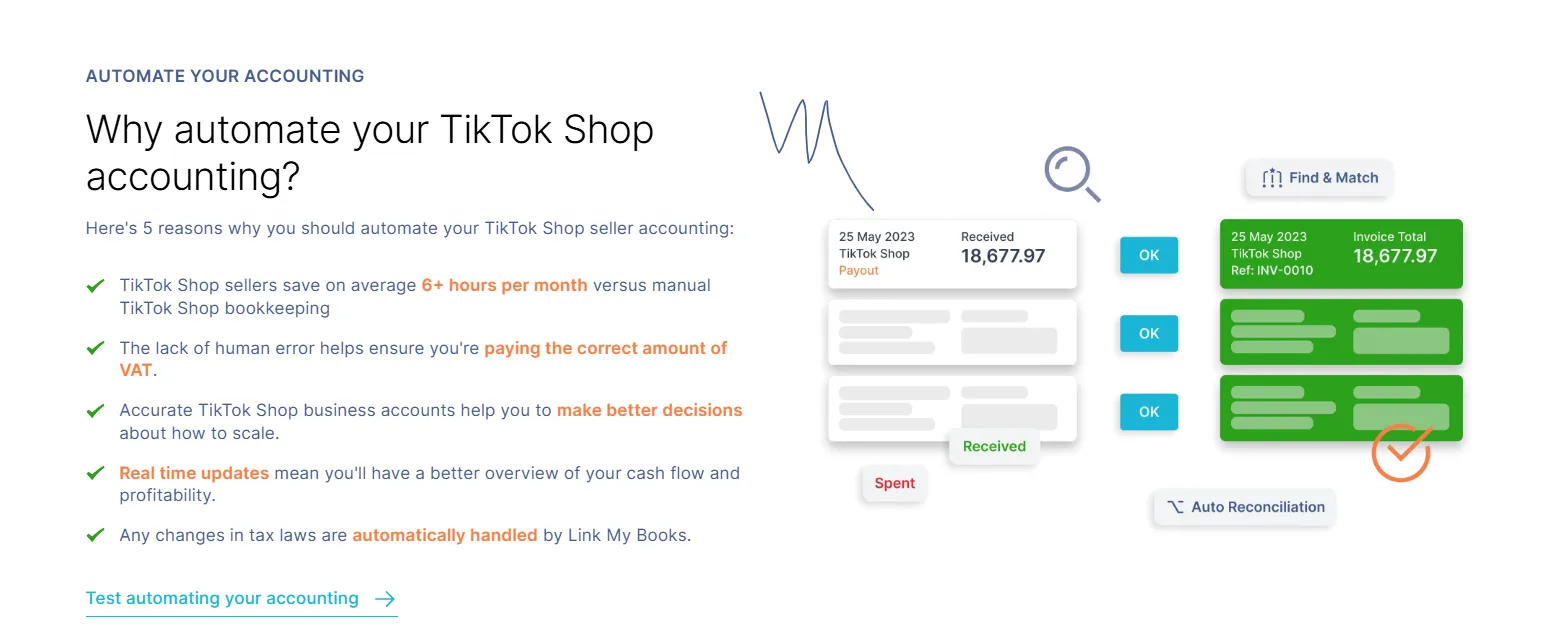
Manually handling TikTok Shop transaction reports might work when you’re just starting out - but as your sales grow, it quickly turns into a full-time job. Each payout bundles dozens of moving parts: sales, refunds, commissions, affiliate deductions, shipping adjustments, and tax collected in multiple regions. Without automation, it’s easy to misreport income or overpay VAT or sales tax.
Link My Books eliminates that risk completely. It connects your TikTok Shop account directly to Xero or QuickBooks, imports every payout automatically, and separates your sales, fees, refunds, and taxes into the correct categories.
You’ll save hours every month, keep your tax filings accurate, and always have up-to-date reports without downloading a single CSV file.
- For UK and EU sellers, Link My Books applies the correct VAT or OSS rates automatically, separating TikTok-collected VAT from your own liabilities.
- For US sellers, it distinguishes facilitator-collected sales tax from taxable sales so you never double-report.
Whether you sell through TikTok alone or manage multiple channels like Amazon, Shopify, or Etsy, Link My Books keeps every payout synchronized, categorized, and compliant - all in one dashboard.
Integrating your TikTok Shop account with Link My Books automates your bookkeeping, ensures total accuracy across sales and tax data, and gives you a clear, audit-ready record of every transaction.
👉 Simplify your TikTok Shop accounting today. Start your free 14-day trial of Link My Books.




.webp)





.png)