



Every ecommerce client on one dashboard, with the health of each business and the exact actions holding up their books.
Key Takeaways from this Post
The Practice Dashboard shows every ecommerce client on one screen: their sales channels, their overall health, and the specific actions outstanding before their books are finalised for any month.
For any month, you can see which clients are fully posted to Xero or QuickBooks and which still have settlements to review, without opening the ledger.
Link My Books can now generate a monthly report for each client, branded to your practice, sent by email or downloaded as a PDF.







The process this replaces.
You find out a client's data has not posted at the worst possible moment: in Xero or QuickBooks, part way through the month end.
From there, the routine is fixed. Into the client's account, into each sales channel, working out which settlement is missing and why.
One client, one detour. A book of clients, and the detours are the month.
The Practice Dashboard exists to put that discovery first, not last.
Want to see it live first? Join our Practice Dashboard webinar on Wednesday 28 October at 12:00 PM. Save your seat!
Every client at a glance
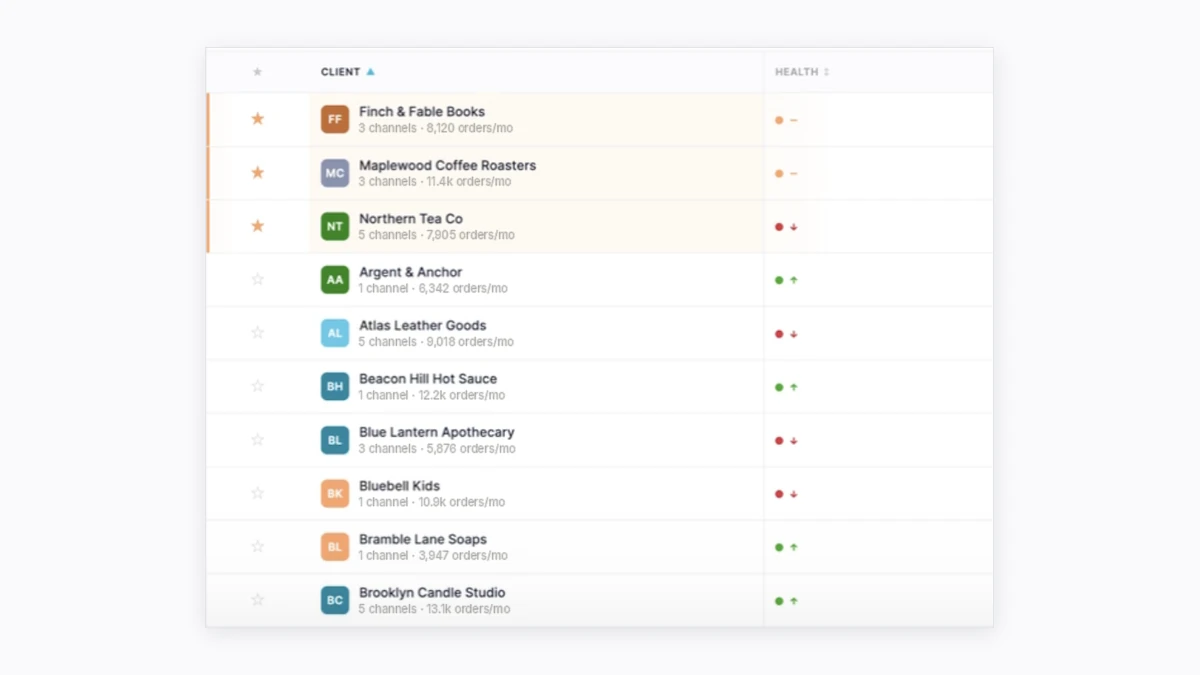
The dashboard lists every ecommerce client by name, with each client's sales channels sitting under the client rather than behind separate logins.
That structure was one of the biggest requests from the accounting firms we work with, and it is how the whole view is organised.
Each client also carries an overall health indicator: increasing, stable or declining.
Before a client call, you know which way the business is moving without opening a single report.
Which clients are ready to process, and which are not
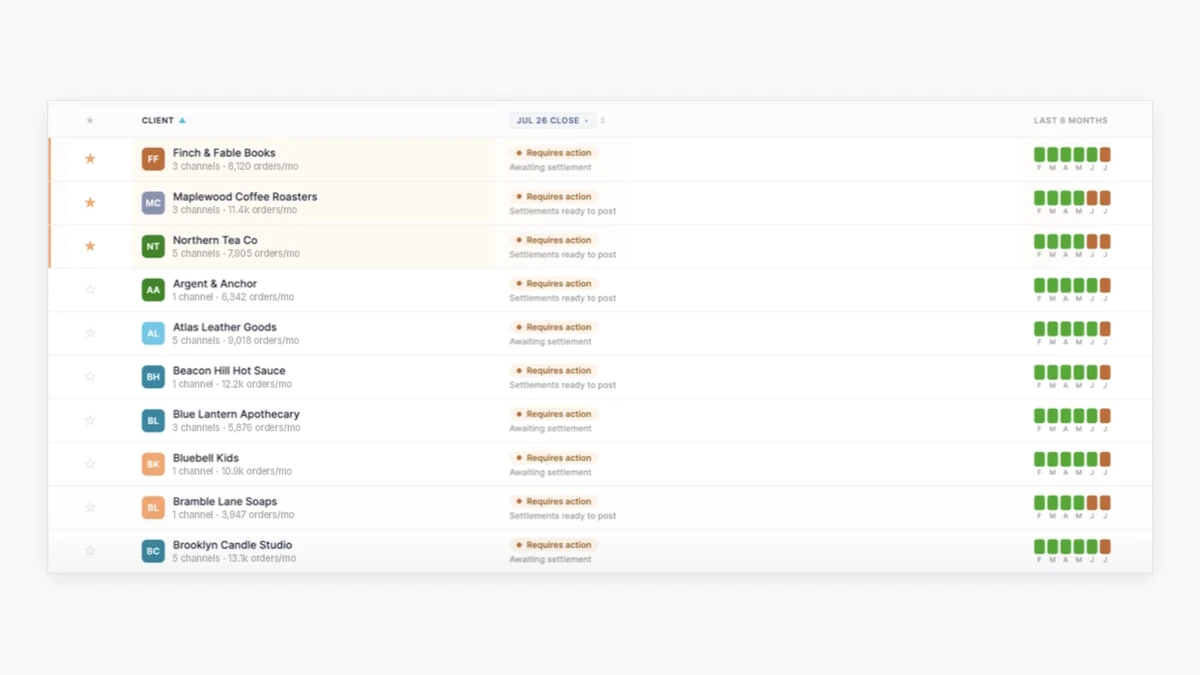
Pick a month and the dashboard shows which clients are complete, meaning every settlement has been imported from every channel and posted across to the ledger.
The clients that still need review, or have settlements waiting to post, sit in the same view.
A running record of previous months is kept alongside, so a question about June does not depend on anyone's memory.
The order of the month changes: you start with the clients that need attention, rather than discovering which ones those are as you go.
The actions that get a client's books finalised
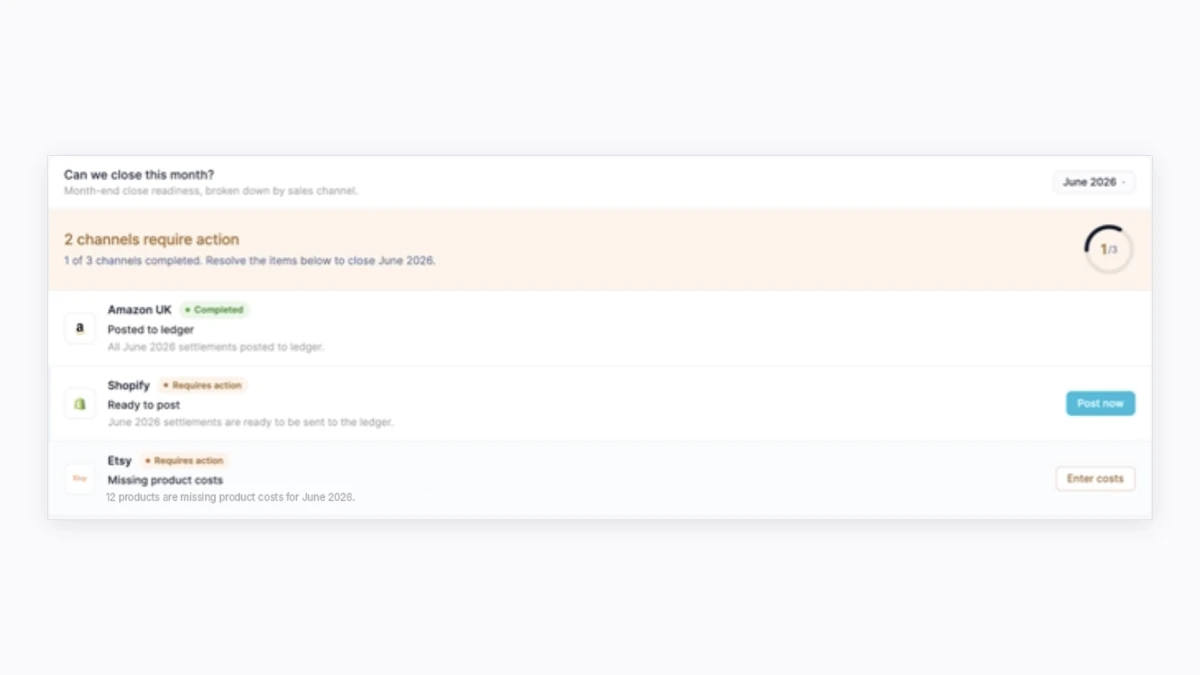
Open a client that needs attention and the view breaks down channel by channel, with the action outstanding next to each one.
One client might show Amazon fully posted, Shopify with settlements waiting because automatic posting is switched off, and Etsy held up by new products that need a cost price entered.
Post the waiting settlements, enter the missing costs, and the client's books are finalised.
No logging into the client's account, no opening each sales channel, and no going into each client's Xero to find out what is behind.
A monthly client report, branded to your practice
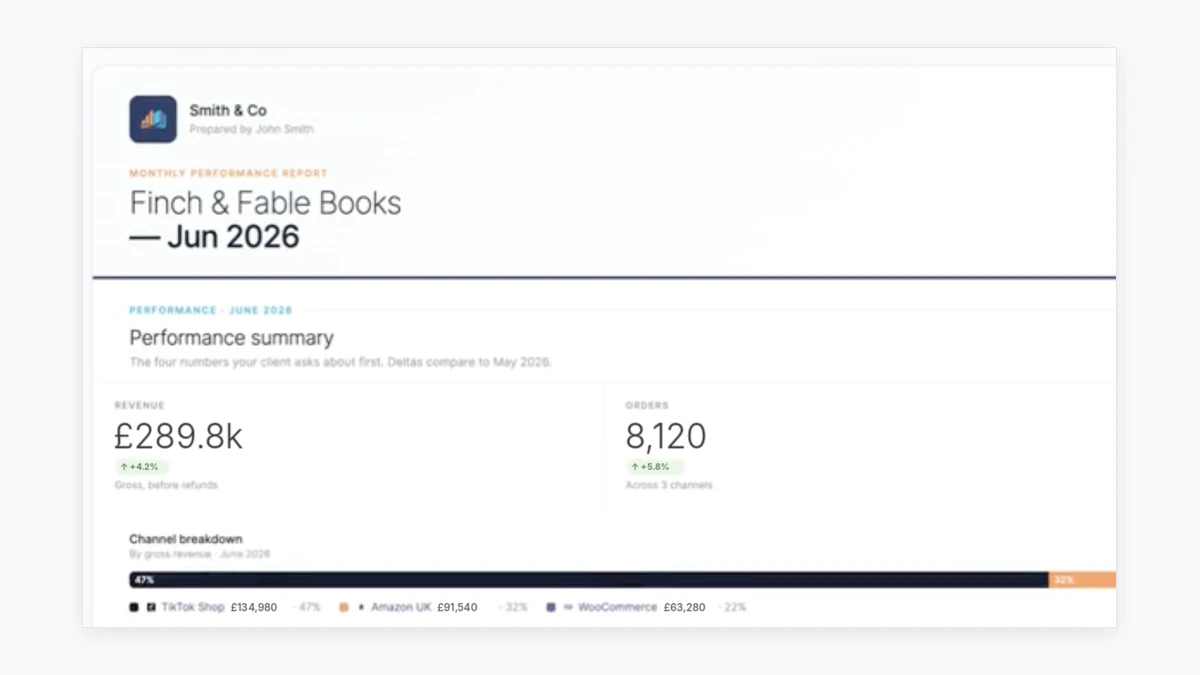
From the dashboard, you can generate a report for any client, send it by email or download it as a PDF.
It covers the client's revenue against the previous month and the prior year, the growth picture, the split between channels, and profit and loss this month against last across those channels.
The report carries your practice's name and logo, not ours.
The monthly update your clients expect becomes something you generate and check, rather than something you assemble.
Who the Practice Dashboard is for
The Practice Dashboard is for [internal link: accountants and bookkeepers solutions page] running ecommerce clients on Link My Books.
It makes no difference whether that is a specialist book or a handful of clients selling on Amazon, Shopify, Etsy or TikTok Shop alongside everything else.
It marks a shift in the product itself: the accountant stops being an additional user on a seller's account and becomes the focus.
The more clients and channels on the books, the faster the one view pays for itself.
Where to start
Open the dashboard, see which clients are complete, and give the ones that are not your first hour instead of your last.
That is the change the dashboard makes: getting every client’s books finalised becomes something you get ahead of, rather than something you find out about two days before the VAT return is due.
Link My Books breaks every settlement into sales, refunds, fees and taxes and posts a clean summary to Xero or QuickBooks that reconciles against the bank deposit. Fourteen days, no card required, and a setup call with one of the in-house accountants.
Want to see it live first? Join our Practice Dashboard webinar on Wednesday 28 October at 12:00 PM. Save your seat! Can’t make it? Register and we’ll send you the recording.
Which of your ecommerce clients would you start with on that screen?
Frequently asked questions
What is the Practice Dashboard in Link My Books?
A view built for accounting and bookkeeping firms rather than individual sellers. It lists every ecommerce client with their sales channels, an overall health indicator, and the actions outstanding before each client's books are finalised for the month.
How do I see which ecommerce clients have not posted to Xero or QuickBooks?
Pick a month on the Practice Dashboard. Clients marked complete have every settlement imported from every channel and posted to the ledger. Clients that still need review, or have settlements waiting to post, show in the same view, and previous months sit alongside so you can check any month, not only the one you are closing.
Can I see what is needed to close a client's books?
Yes. Opening a client shows each sales channel with the action outstanding next to it. One channel might need waiting settlements posted, another might have new products that need a cost price entered. Because the action sits next to the channel, you close the client from the cause rather than from a search.
Can I send clients a monthly report from Link My Books?
Yes. The Practice Dashboard generates a report per client covering revenue against the previous month and the prior year, growth, the split between channels, and profit and loss across those channels. It carries your practice's name and logo, and it goes out by email or downloads as a PDF.
Who is the Practice Dashboard for?
Accounting and bookkeeping firms running ecommerce clients on Link My Books. It suits specialists with a full ecommerce book and firms with a handful of clients on channels like Amazon, Shopify, Etsy or TikTok Shop, because the view does more work as the number of clients and channels grows.



.webp)





.png)